Who’s in. Right now.

Punch from the phone. See hours worked and hours left at a glance. And know — not guess — that the floor is covered, from anywhere.

Phone punch in/out
Worked vs remaining, live
👥 Scheduled-vs-actual roster
The employee's morning

Clock in from the phone — and always know where you stand.

Employees punch in and out right on their phone. The home screen greets them with their clock status, today's schedule, the pay period, the next pay day — and the numbers people actually care about: hours worked so far and hours left on the schedule.

No wall-mounted terminal, no PIN pad queue at shift change.

  • One-tap clock in / clock out on the phone
  • Worked vs remaining hours for the pay period, always current
  • Next pay day and today's shift, front and center
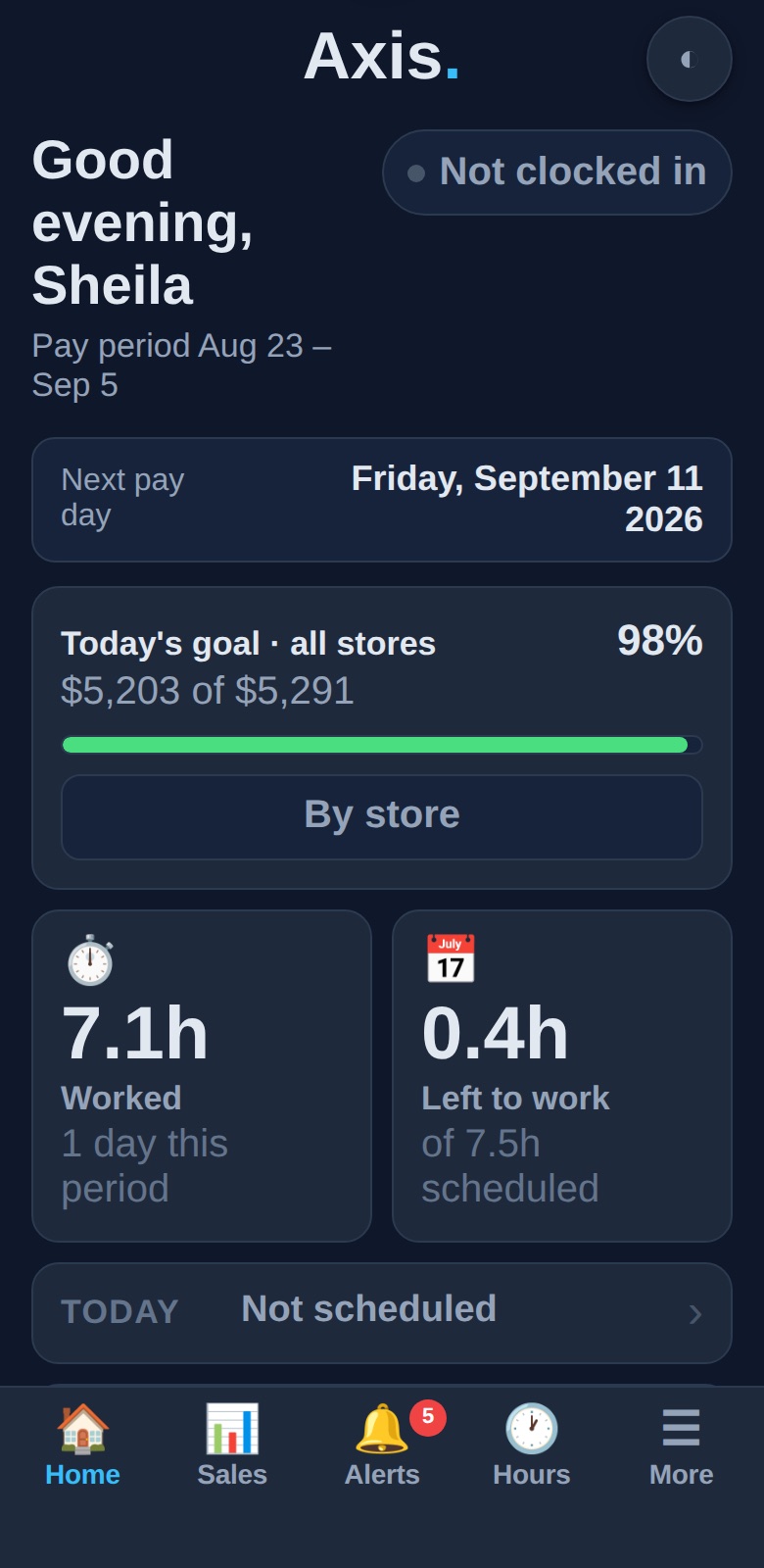
Clock in from the phone — and always know where you stand.
A real employee home: clock status, 7.1h worked, 0.4h left of 7.5h scheduled.
The manager's view

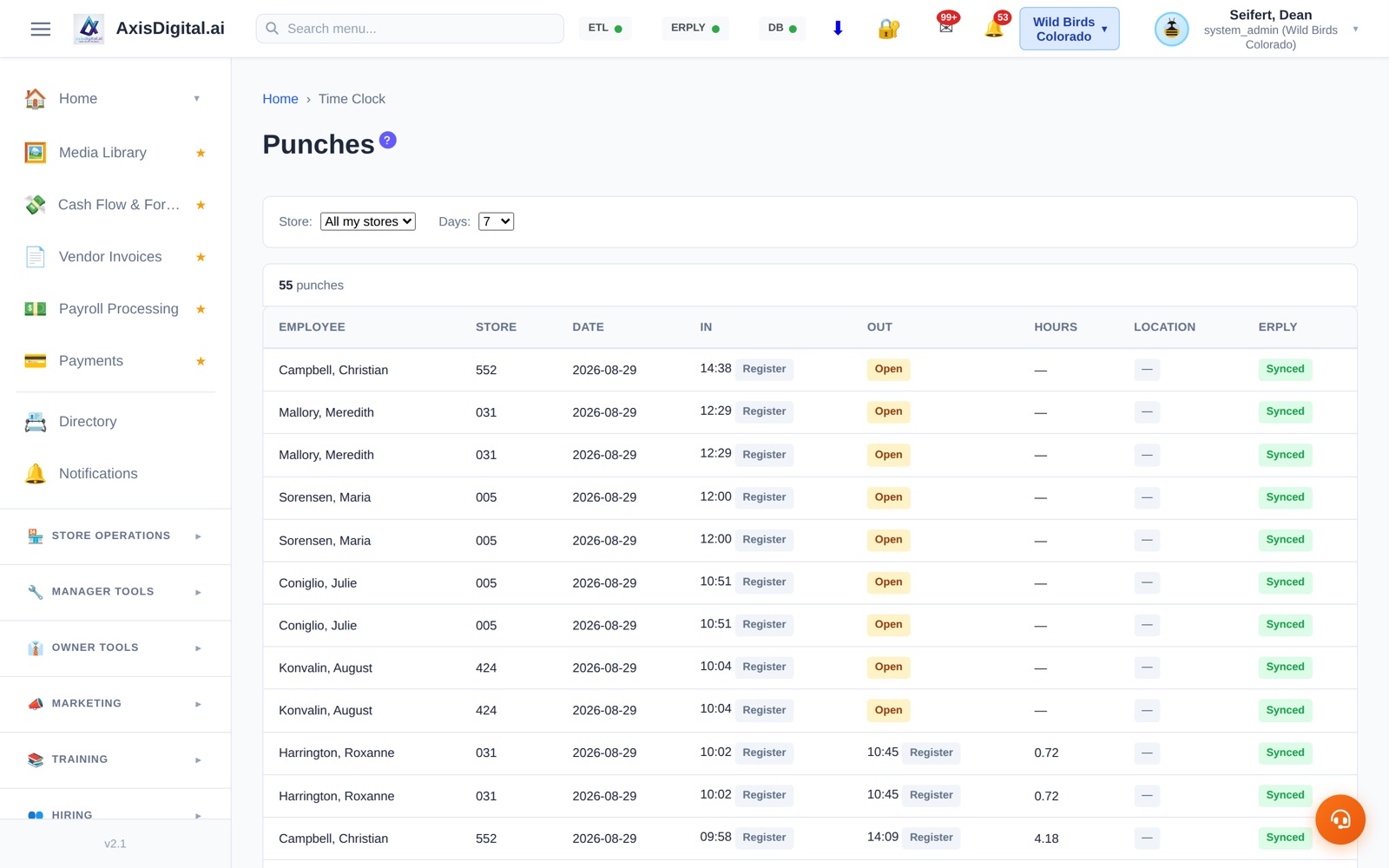
Every punch, every store, synced to ERPLY.

Managers get the full punch list across their stores — who's in, who's out, hours per shift — with every record synced to ERPLY so labor reporting, schedule variance, and payroll all read from one source of truth.

No separate time-clock silo to reconcile against the POS.

  • All stores, filterable by day range
  • Per-row ERPLY sync status
  • Feeds the same labor data your reports and payroll use
Every punch, every store, synced to ERPLY.
Every punch, every store, with ERPLY sync confirmed per row.
Right now, not last week

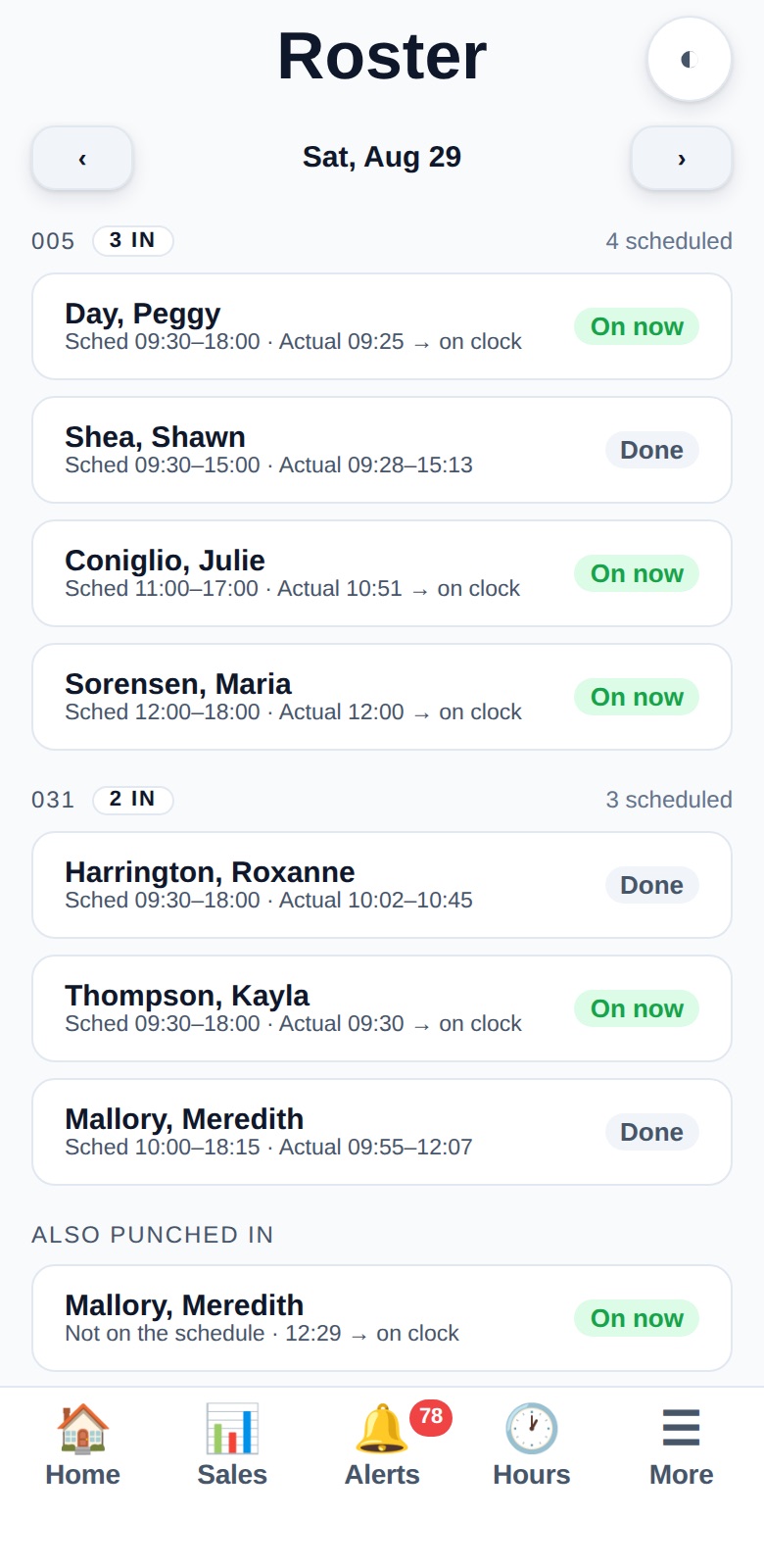
The roster answers one question: is the floor covered?

The live roster puts scheduled next to actual, per store, right now. Due at 9:30, clocked in at 9:25 — on now. Finished early — done. Working but never on the schedule — it says so, under “also punched in.”

It's the difference between believing the store is covered and knowing it is, from anywhere.

  • Scheduled vs actual, live, per store
  • “Also punched in” catches unscheduled workers
  • On your phone — check coverage from anywhere
The roster answers one question: is the floor covered?
Sched 9:30, actual 9:25, on now — coverage at a glance.
The history

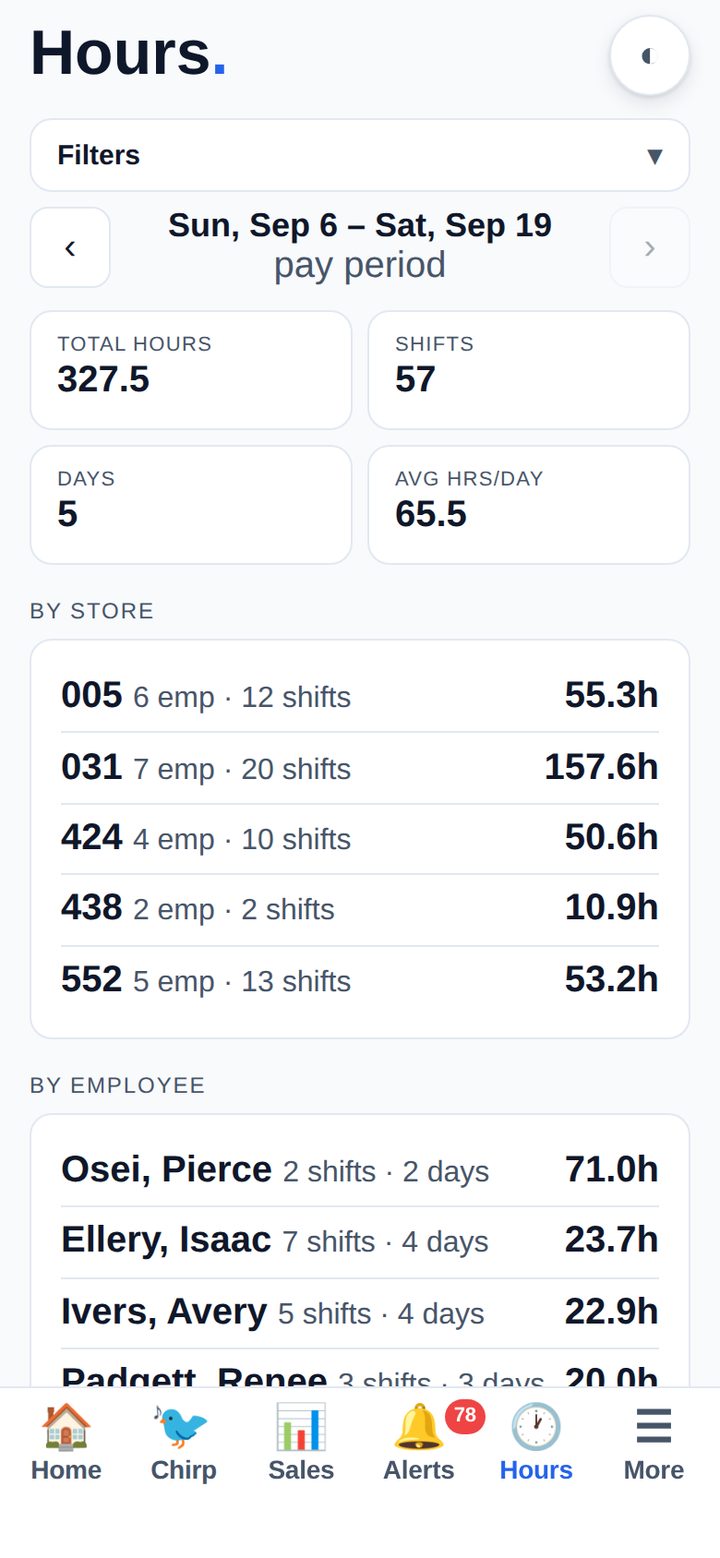
Your hours, your way — day, week, pay period, or year.

Every employee can pull their own punch history and totals by day, week, pay period, month, or year — the same numbers payroll uses, so questions get answered before they become disputes.

Managers see the same view rolled up by store and by employee.

  • Personal punch history with per-day detail
  • Totals by any timeframe, matched to pay periods
  • Manager rollups by store and employee
Your hours, your way — day, week, pay period, or year.
An employee's own hours — by pay period, straight from their phone.
✓ Included with Platform

Included with the Axis Platform.

Included with every Axis subscription at $299/store/month. Multi-store? Save up to 50% — see multi-store pricing. Unlimited users, concierge onboarding.

See it in action →

Know the floor is covered.

See the live roster and time clock on your own stores' data.

📅 Book a Demo →

Book a Demo

See the Analytics Dashboards in action — 30 minute walkthrough

March 2026

📅
Plan
Date
Time
Duration30 minutes

You're All Set!

Your demo is booked for

We'll send a calendar invite and Zoom link to

Get in Touch

Have a question about Analytics & Performance? We'll get back to you within one business day.