All twenty-five Axis screens, on the phone already in your apron pocket. Check every store’s sales from the coffee line. Approve a time-off request from the lock screen. Point the camera at a barcode and get the price, the margin and the stock in all five stores. Count a section by scanning it, straight into ERPLY.
Scroll → · tap any screen to enlarge


About the names: every screenshot on this page is the real app on real data, captured with Demo Mode switched on — a setting that ships with Axis and privatises every person’s name before it leaves the server. The names you see are stand-ins. The numbers are not.
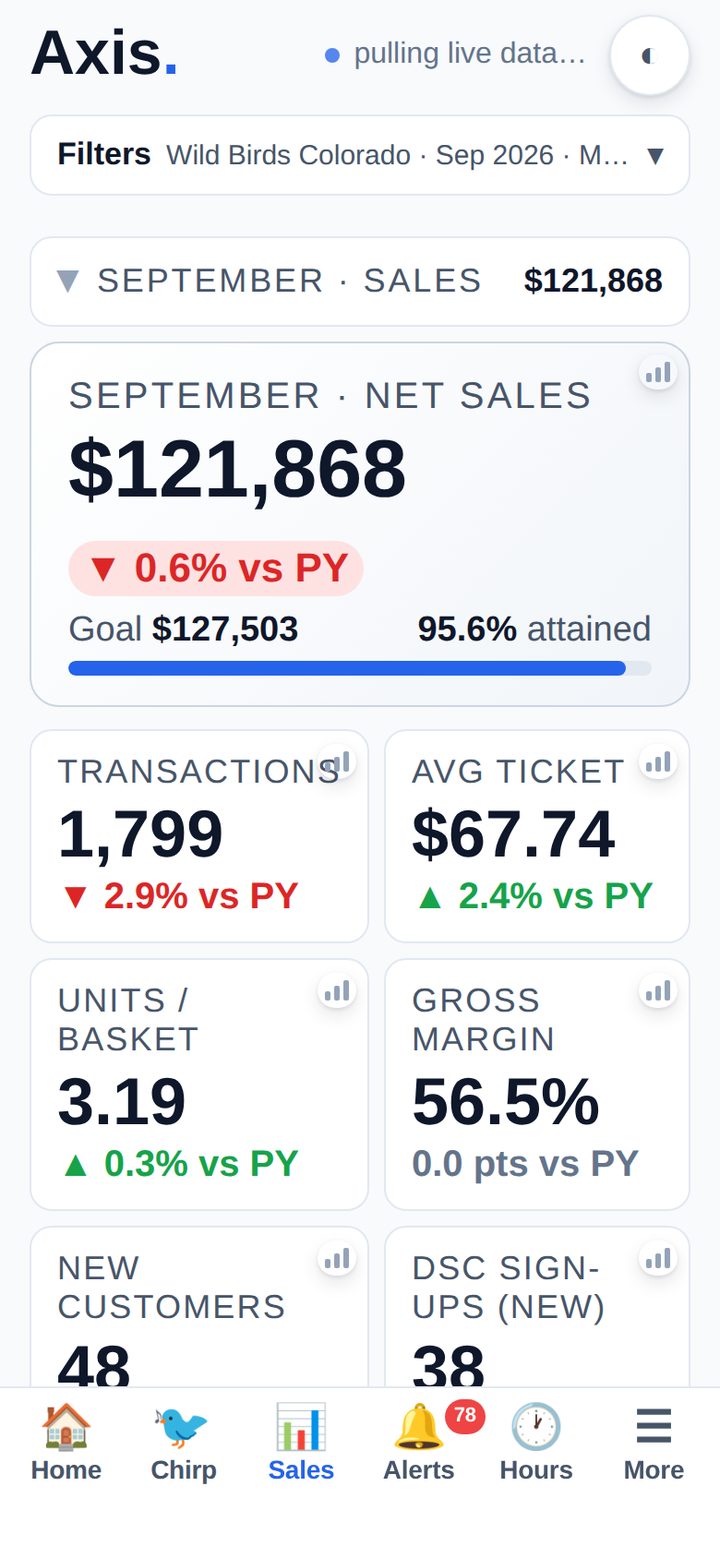
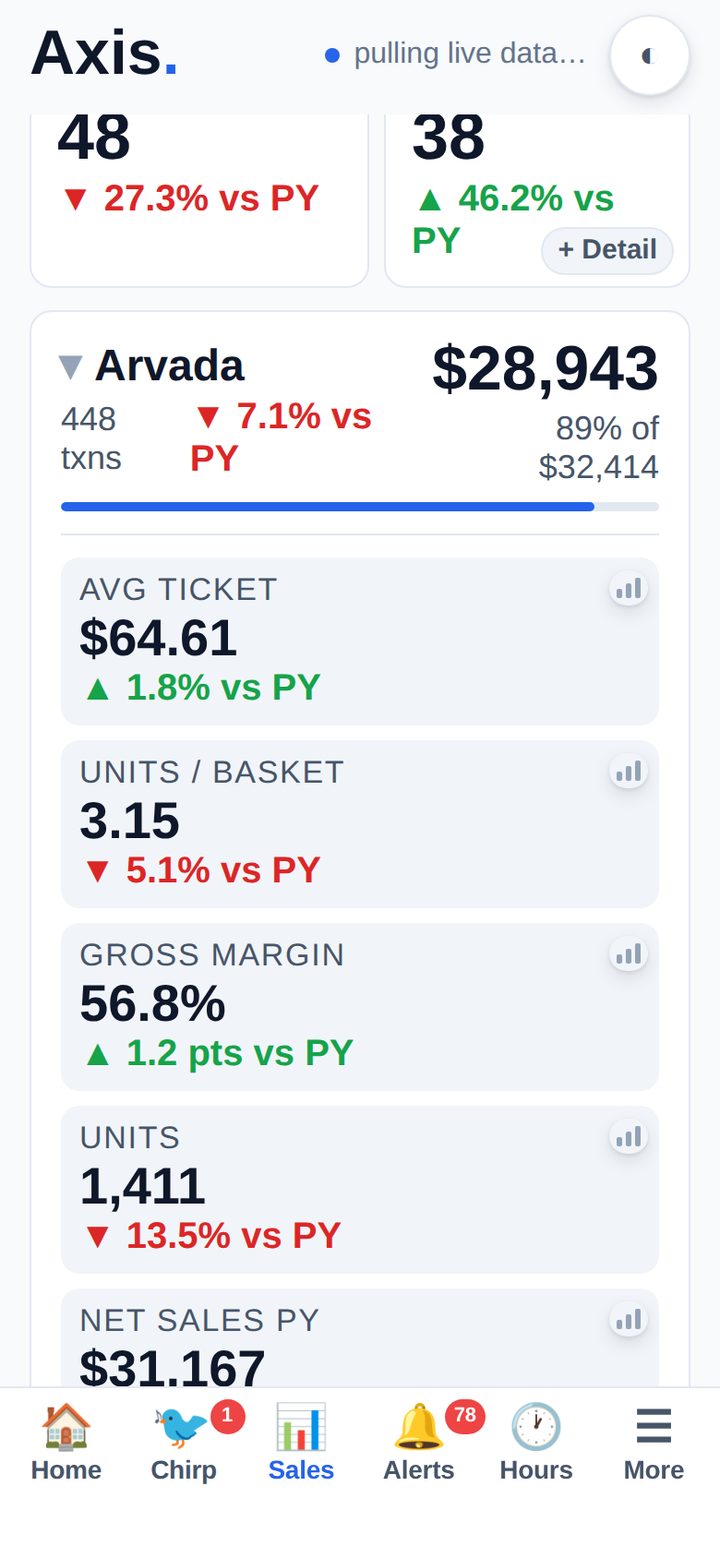
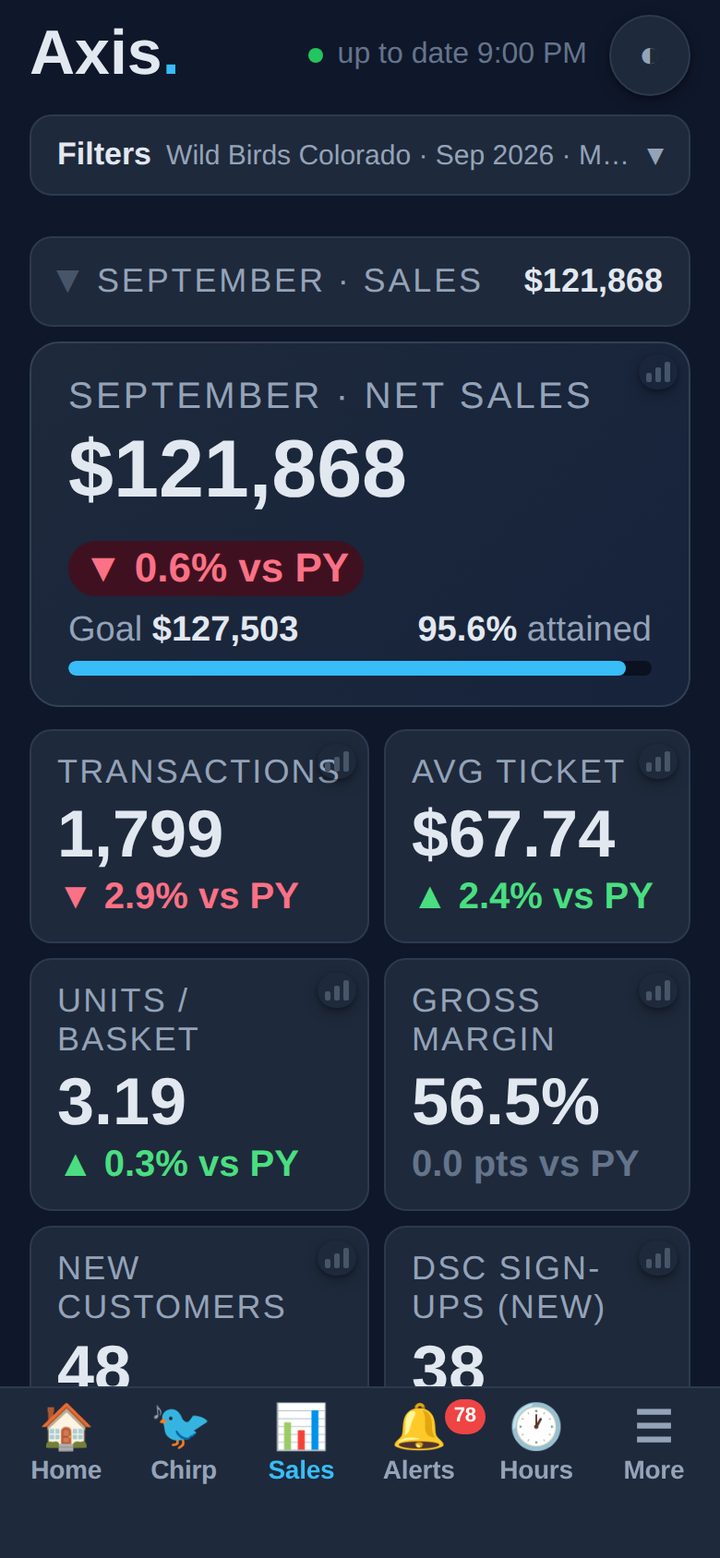
The same live figures as the desktop platform — every store, prior-year comparison, goal pacing, and a live ERPLY pull whenever you swipe down.
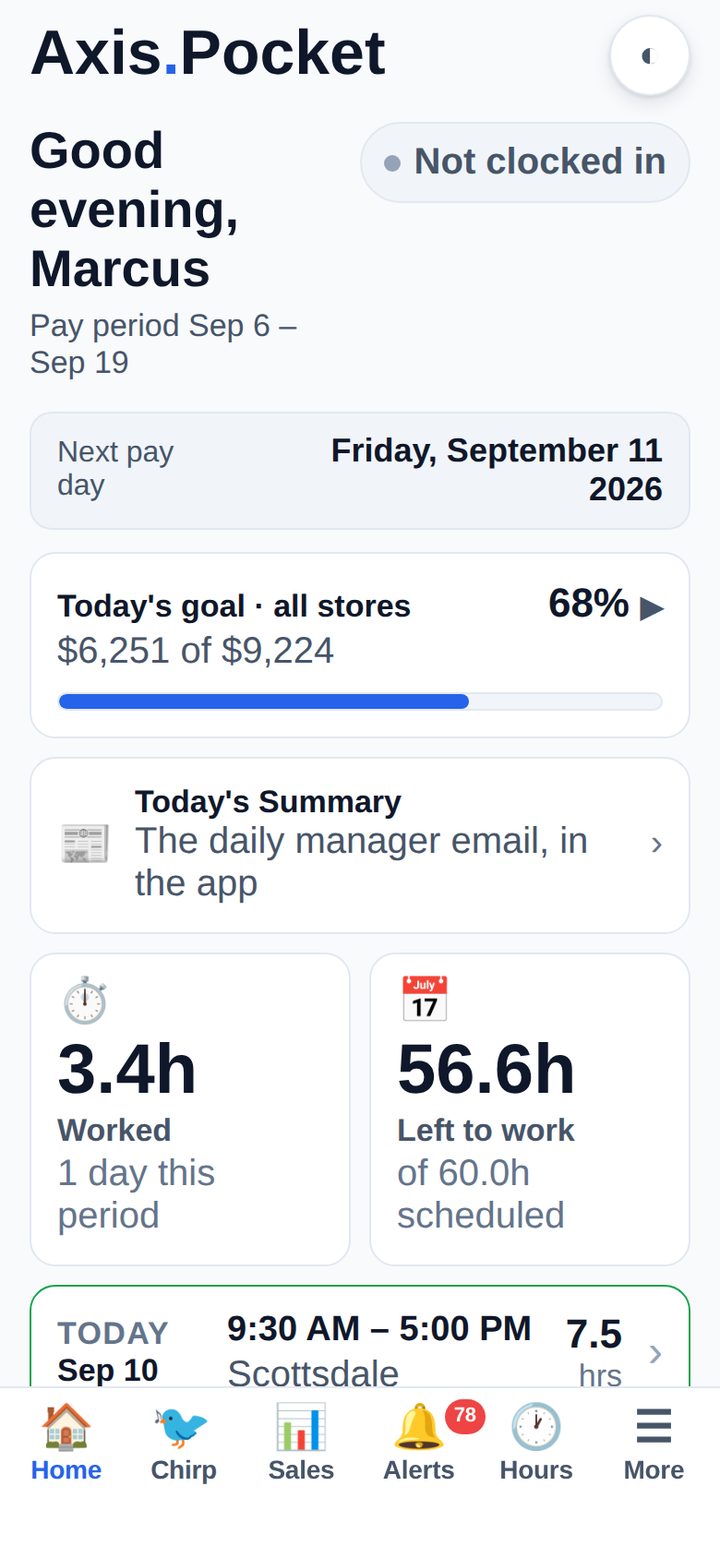
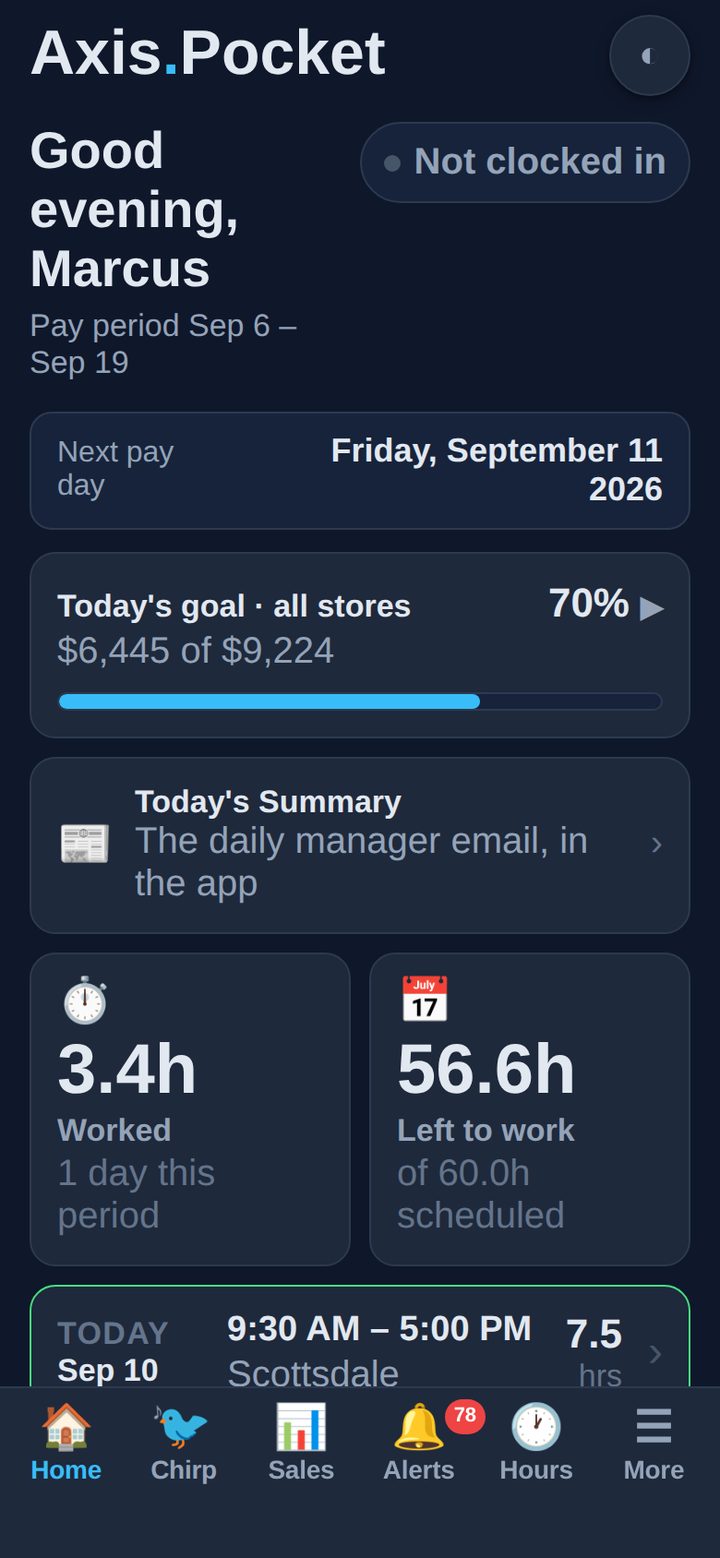
Clock status, the pay period, next payday, hours worked and hours left, today’s goal against every store, and the next shift on the schedule — before you have put the phone down.
It is the first screen for an owner and for a part-timer alike. What changes is how much of it is about the business and how much is about the person holding it.
Today, Yesterday, L7D, MTD, YTD and a full-year forecast — net sales, transactions, average ticket, units per basket, gross margin, new customers and DSC sign-ups, each against the same period last year and against the goal for that period, prorated for the days elapsed.
Under the roll-up, every store has its own card. Open one and you get that store’s figures against its own goal — in the clip, Arvada at 89% of $32,414 — because a group number hides the store carrying it and the store that is not.
Pull down and Axis re-pulls the day from ERPLY while you watch. No export, no waiting for a nightly job.
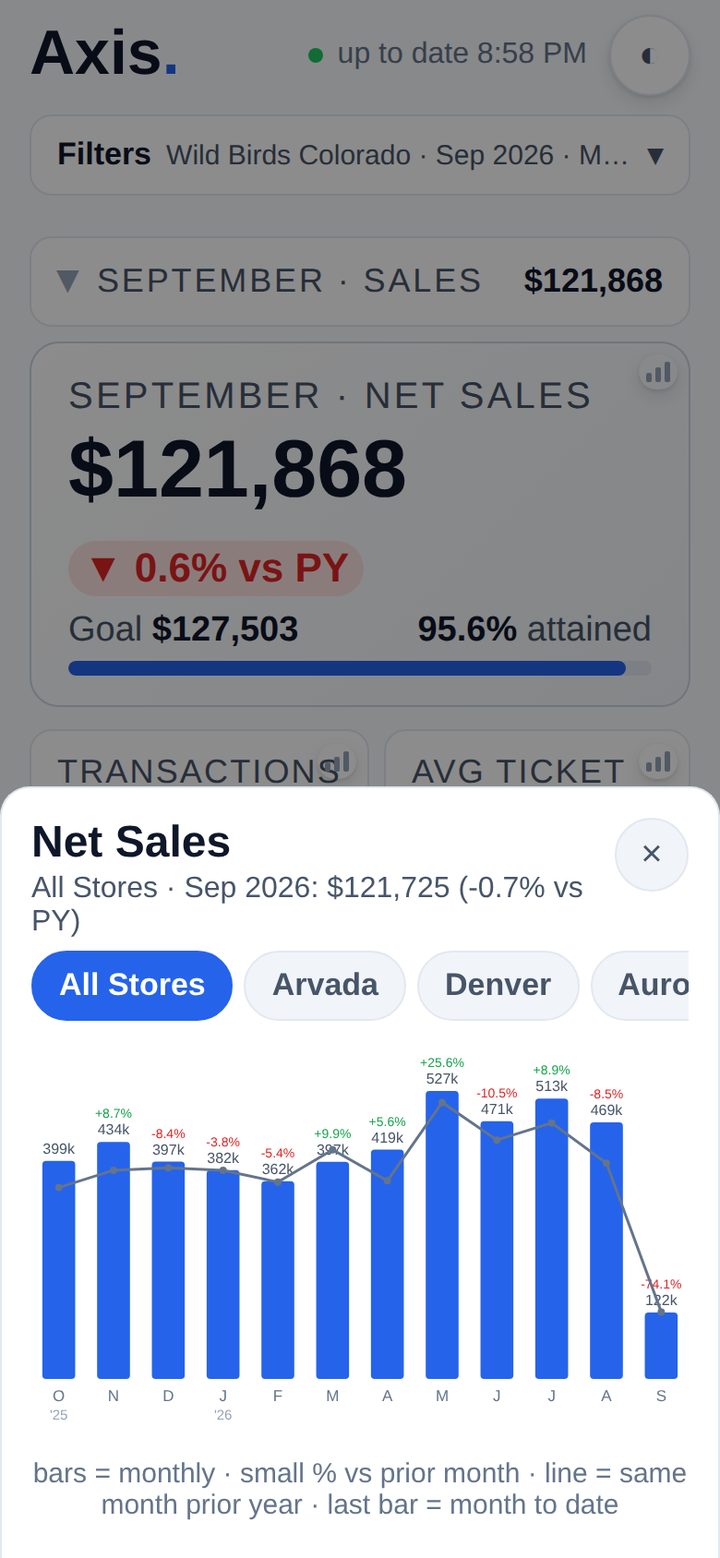
Every metric on the dashboard opens a twelve-month chart with the prior year overlaid as a line and the month-over-month change on each bar — and a chip row to switch between stores without leaving the sheet.
The last bar is always month-to-date, and it says so, because a partial month plotted against whole ones is how a good month gets mistaken for a collapse.

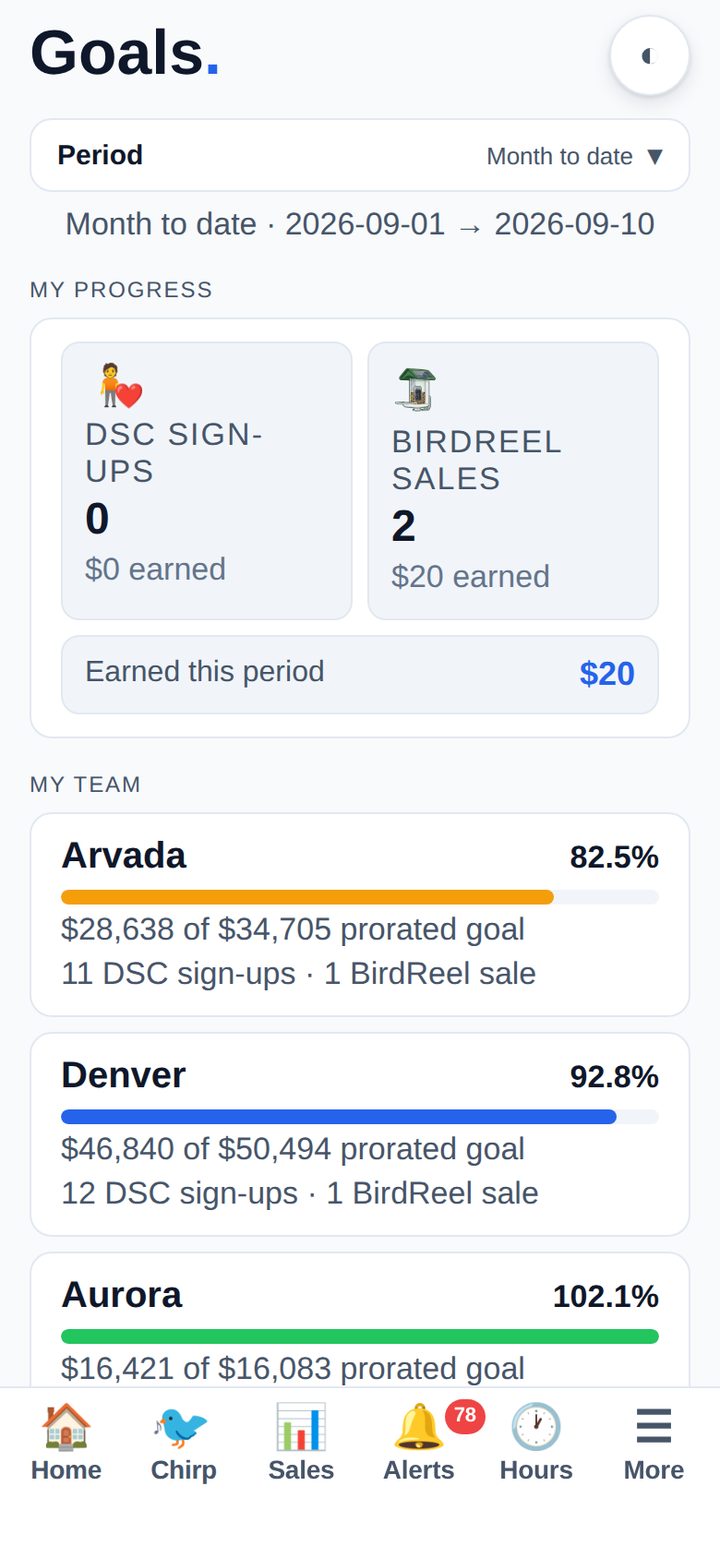
Month-to-date goal attainment per store with a prorated target, alongside the individual’s own DSC sign-ups and BirdReel sales — and the spiff money those have earned so far this period.
The same screen answers “how is my store doing” and “what is in it for me”, which is the only version anyone actually opens twice.

The Axis Daily Summary — weather, what is driving traffic, which promotions are live, yesterday’s numbers, birthdays and anniversaries, and what needs doing — rendered in the app for today or yesterday, or any date you pick.
Written by the same job that sends the email, so nobody has to go and find the email.
Most of what needs a decision never needs the app opened at all.
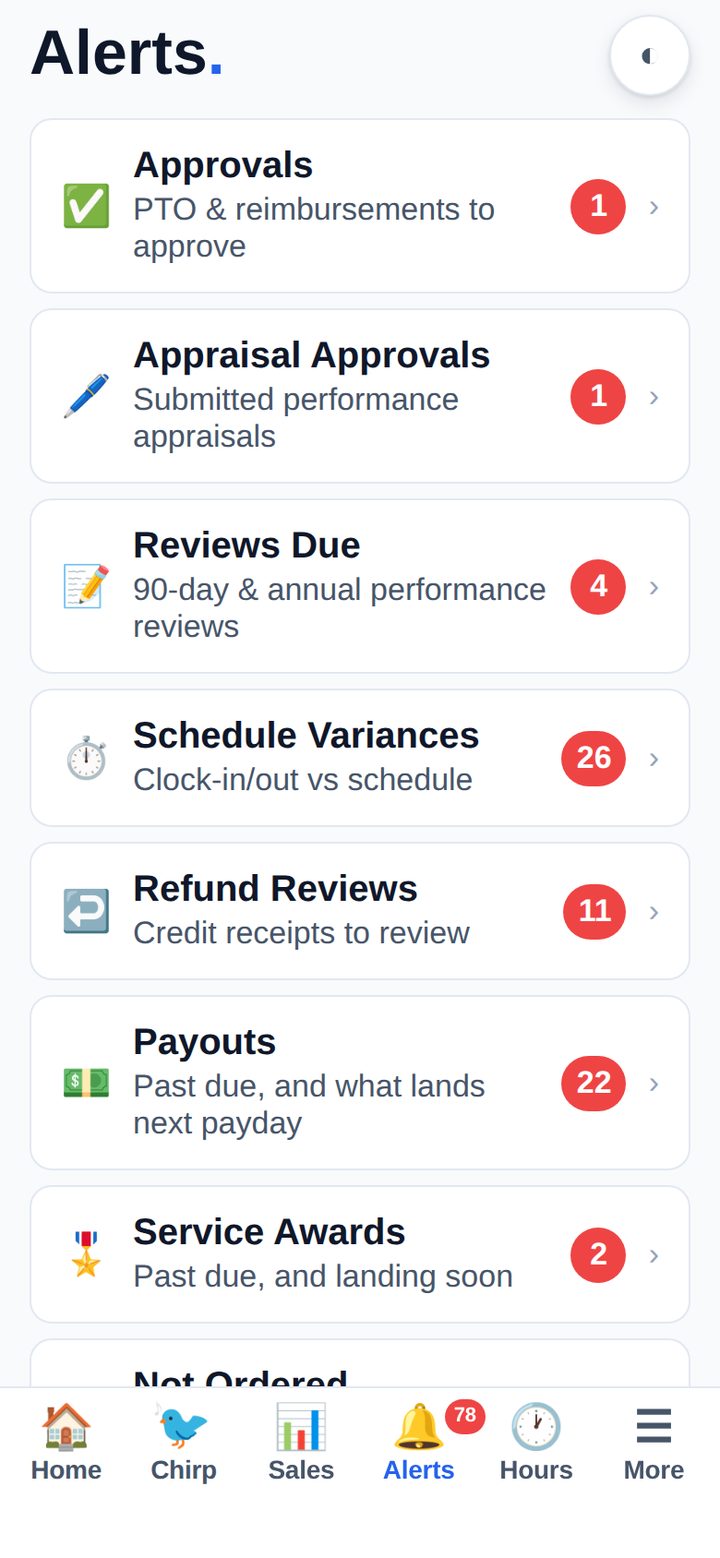
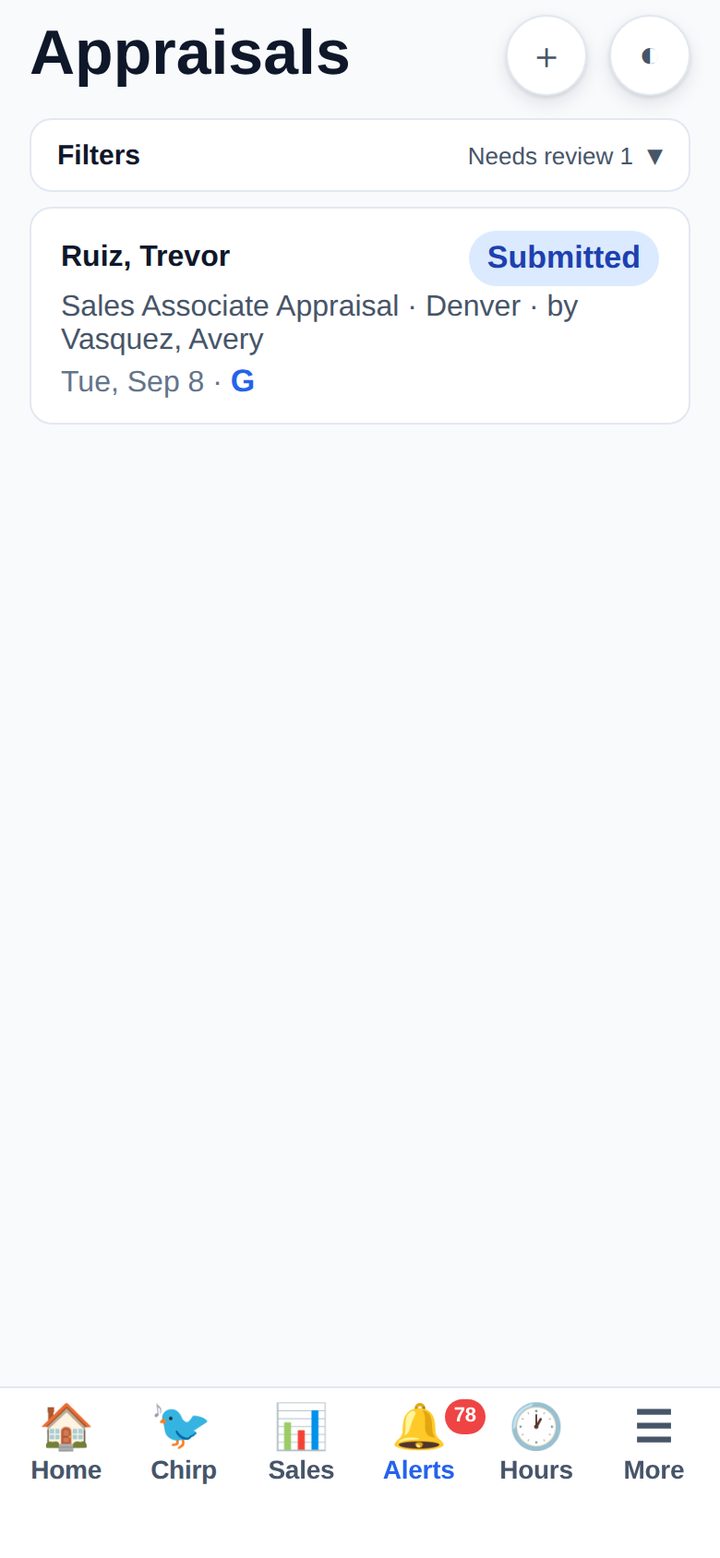
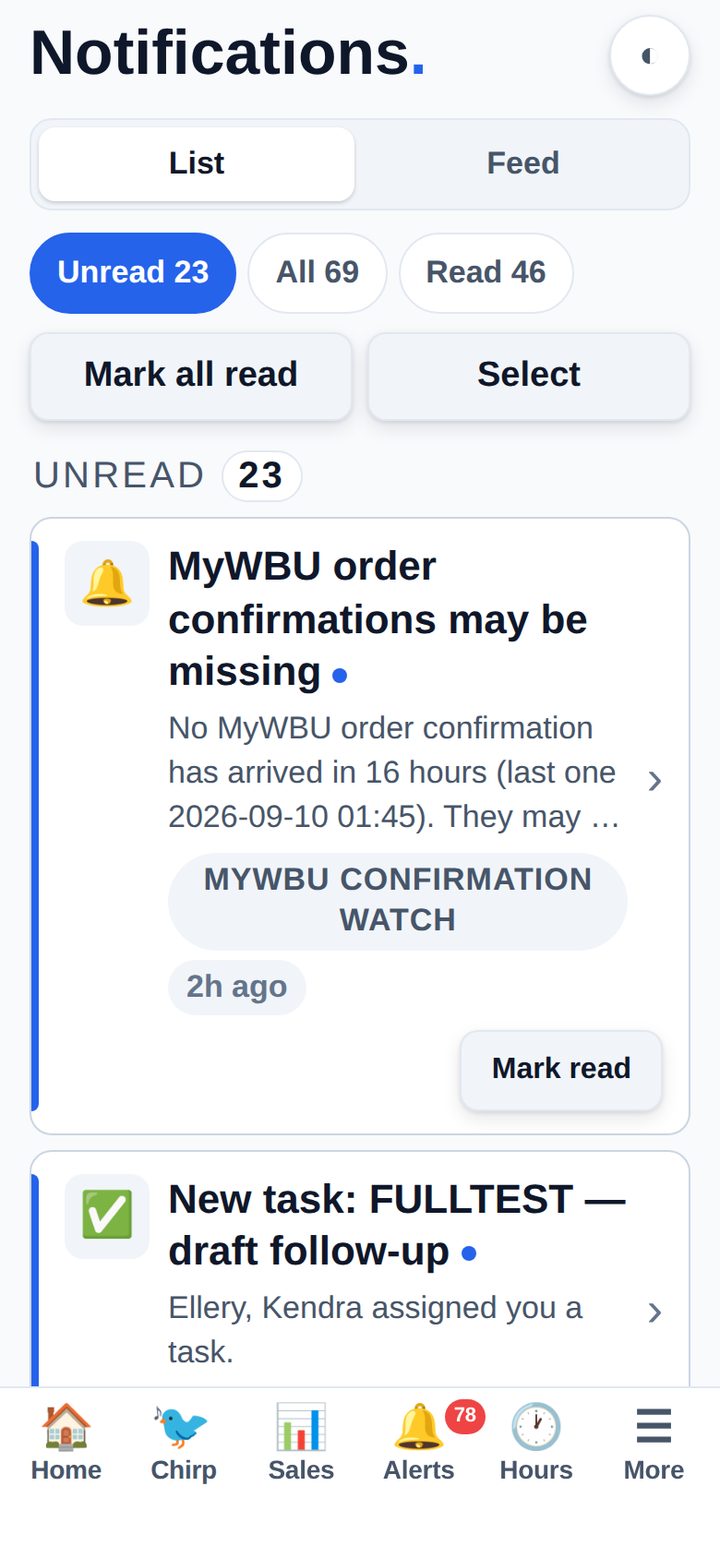
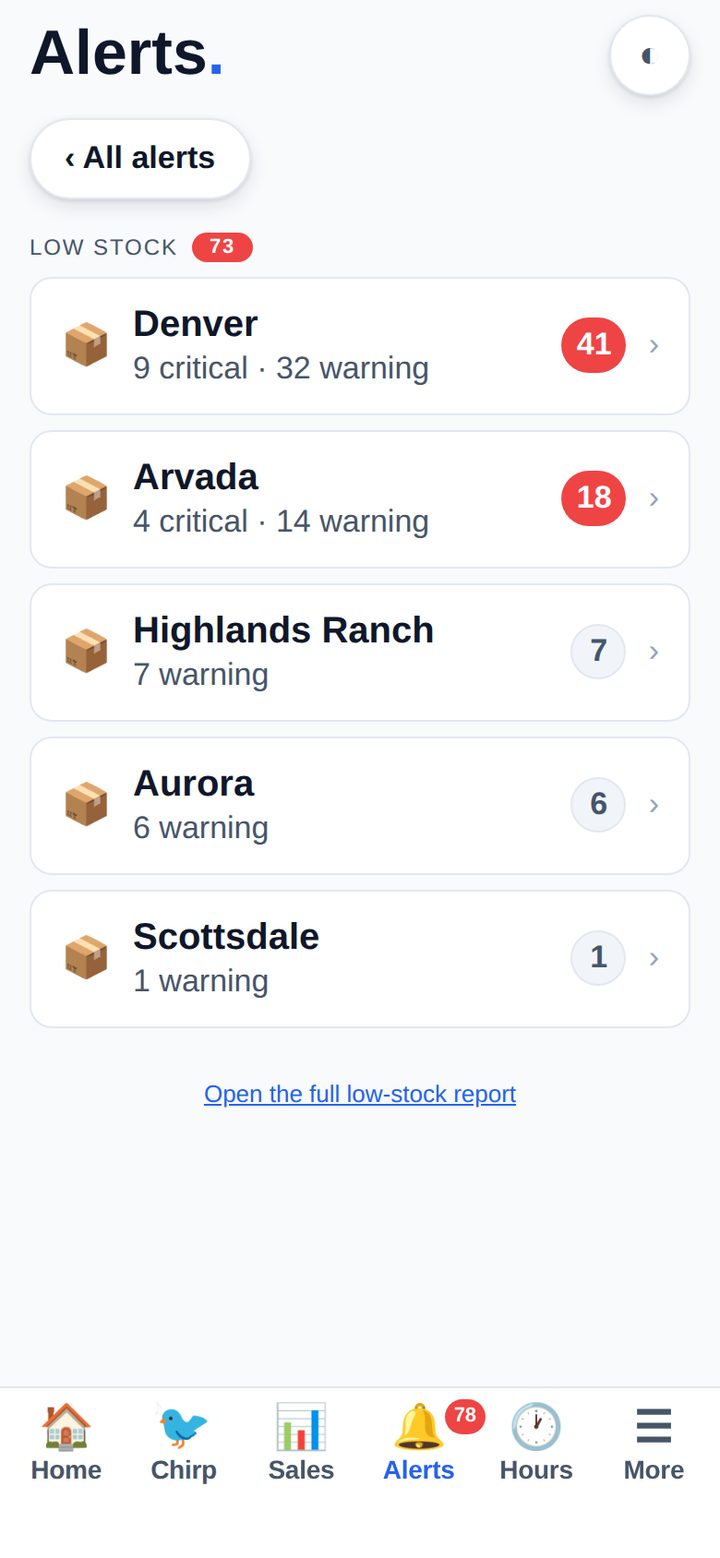
Tasks, PTO and reimbursement approvals, submitted appraisals, reviews coming due, schedules to acknowledge, schedule variances, refunds to review, payouts, service awards, special orders not yet placed, missing ERPLY days, failed background jobs and low stock — each with its own count.
The tab-bar badge is the sum. When it is zero, there is genuinely nothing waiting.
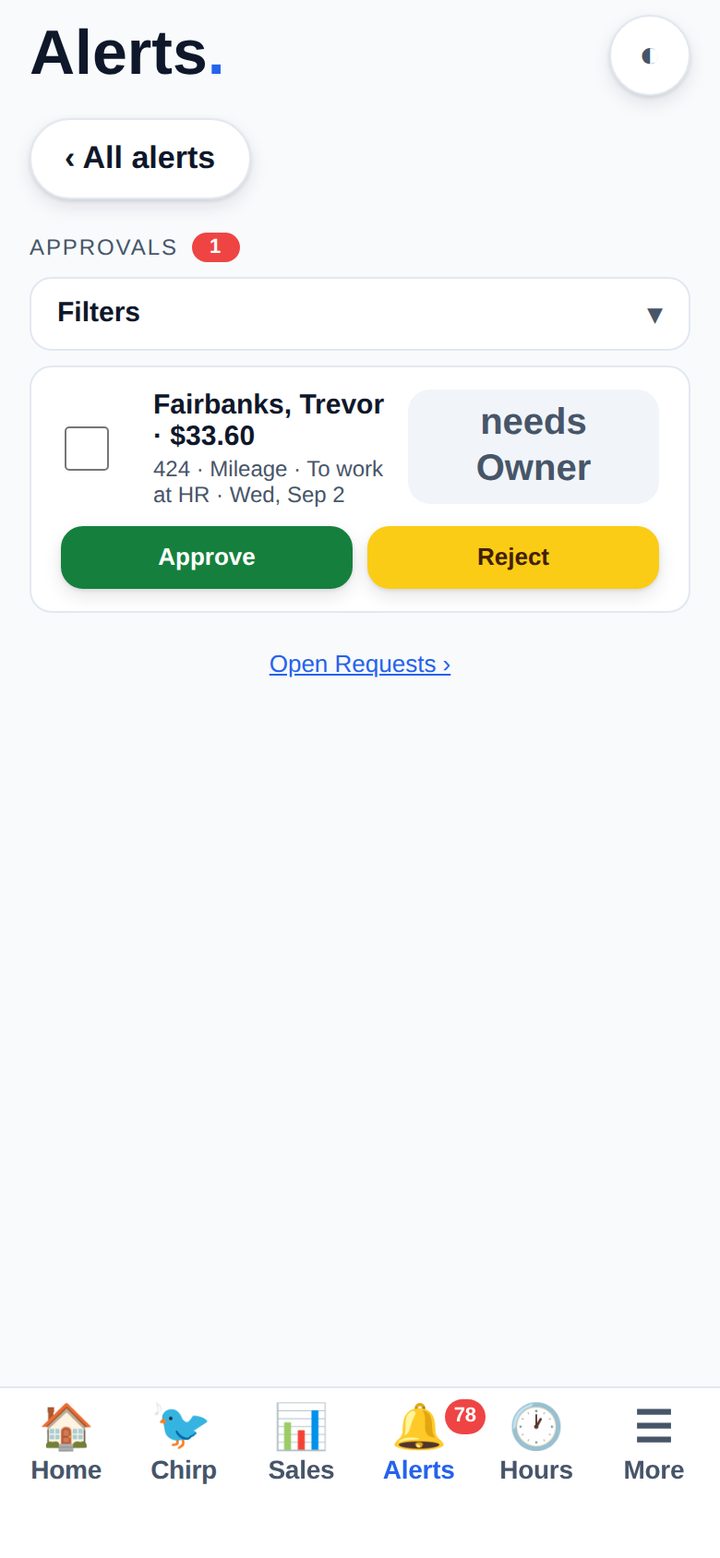
Time off and reimbursements arrive as a push notification and clear with one tap. Where a request needs two signatures, the card says whose — and someone who holds both roles can approve one stage or the whole thing.
Green approves, amber declines. A declined request never looks like a deleted one.

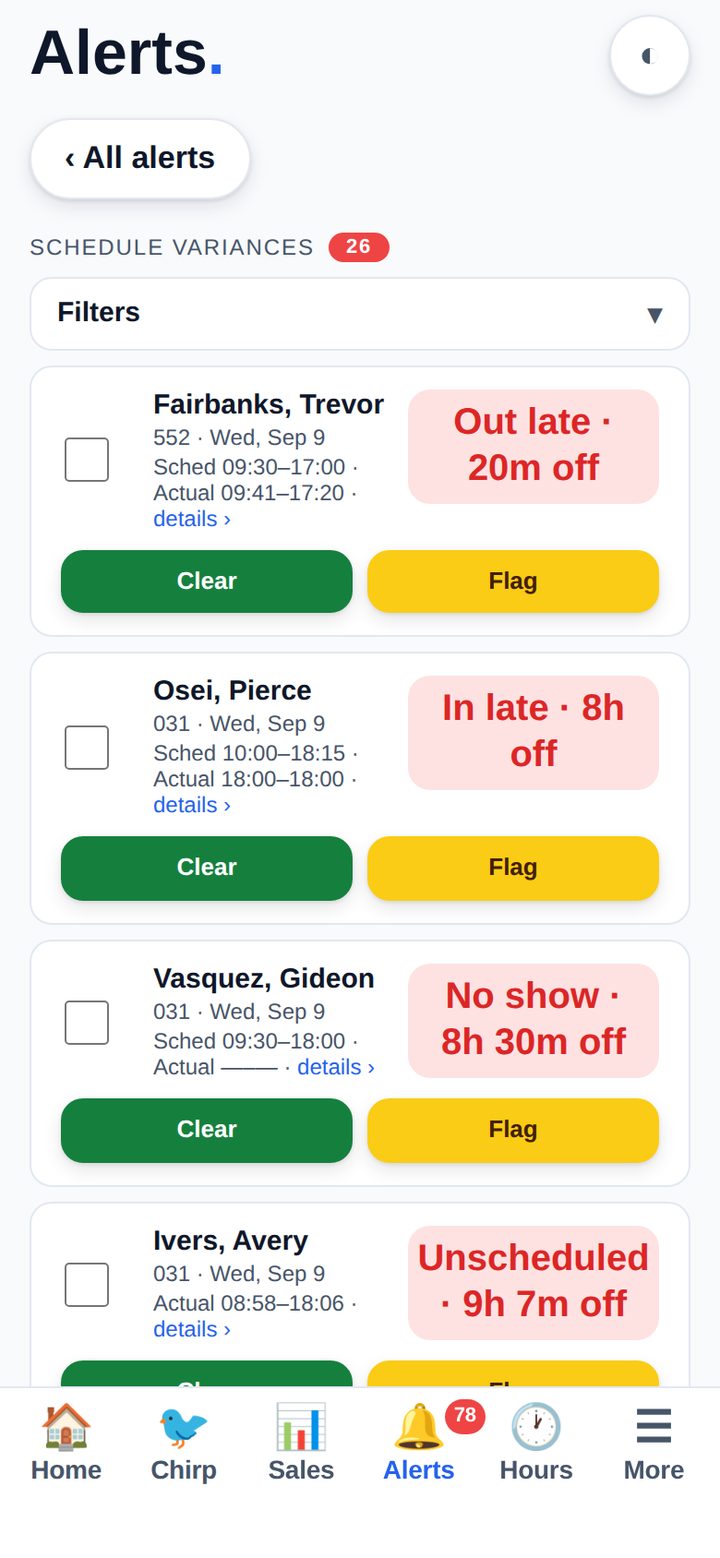
Every clock-in that does not match the schedule — in late, out late, no show, unscheduled — with the scheduled and actual times side by side and the minutes off.
Open one and you get that day’s real clock-ins: add a missed punch or close an open one, and Axis writes it back to ERPLY and re-reads it before it says done.

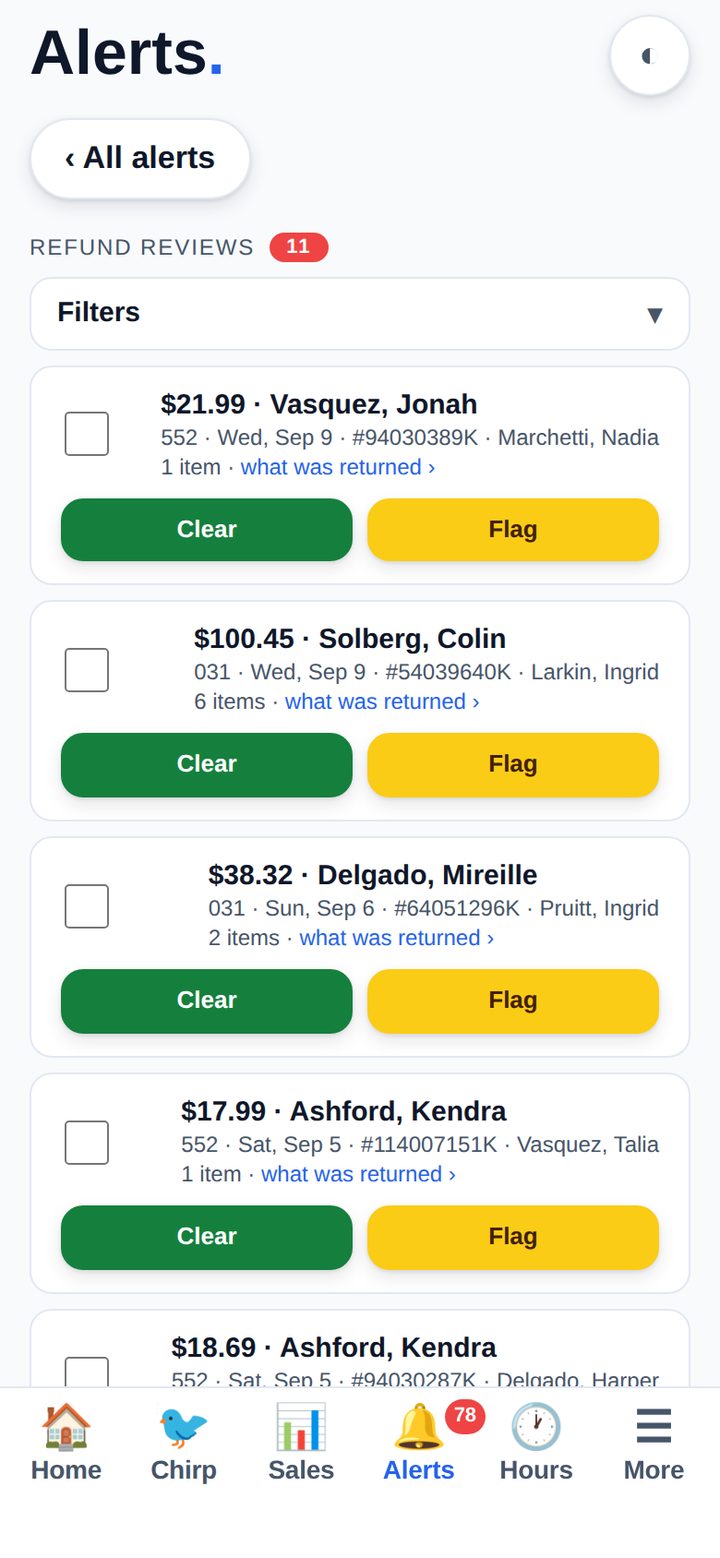
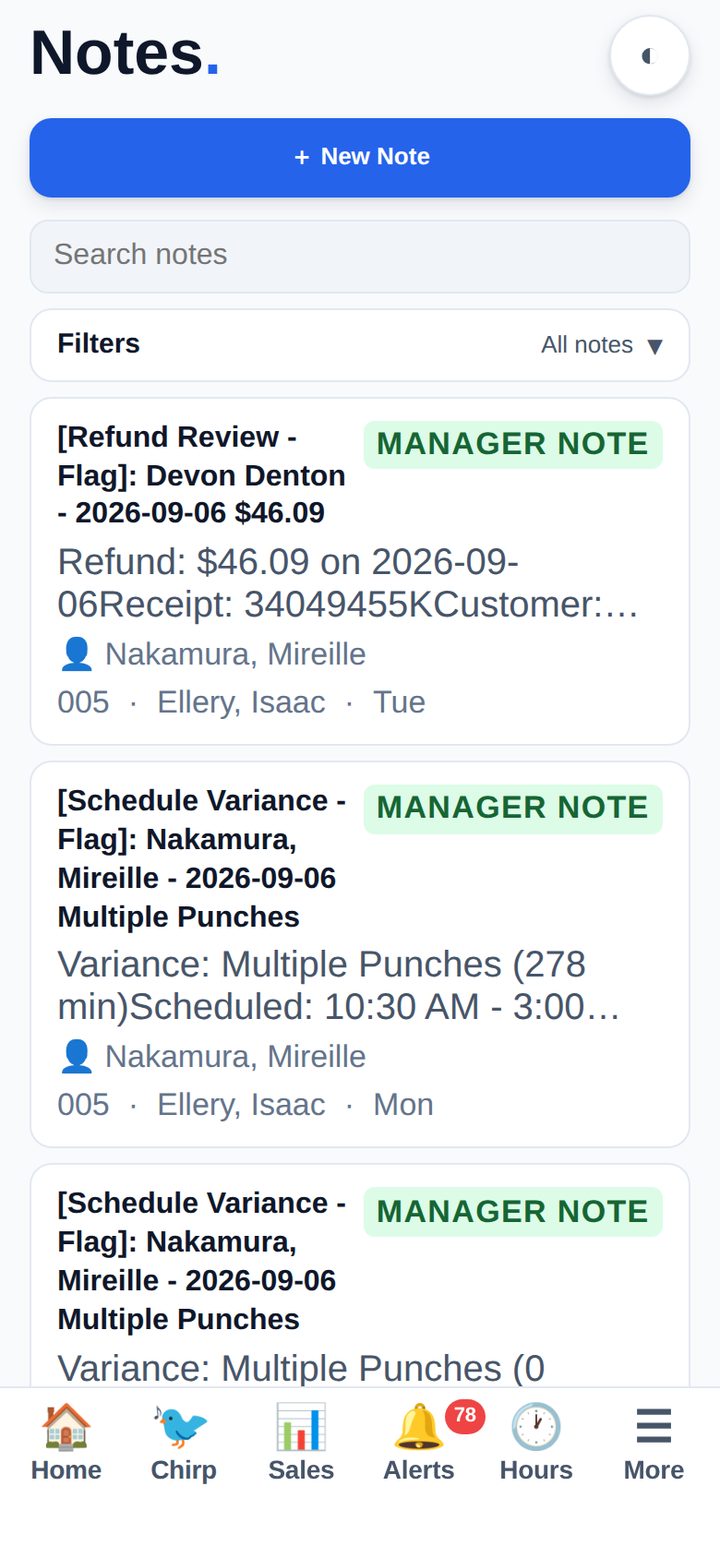
Refunds are pulled from ERPLY and queued with the amount, the store, the date, the receipt number, the customer and the cashier who rang it. Clear the ordinary ones; flag the ones worth a conversation.
Flagging writes a manager note against the store, so the trail is there next month when it matters.

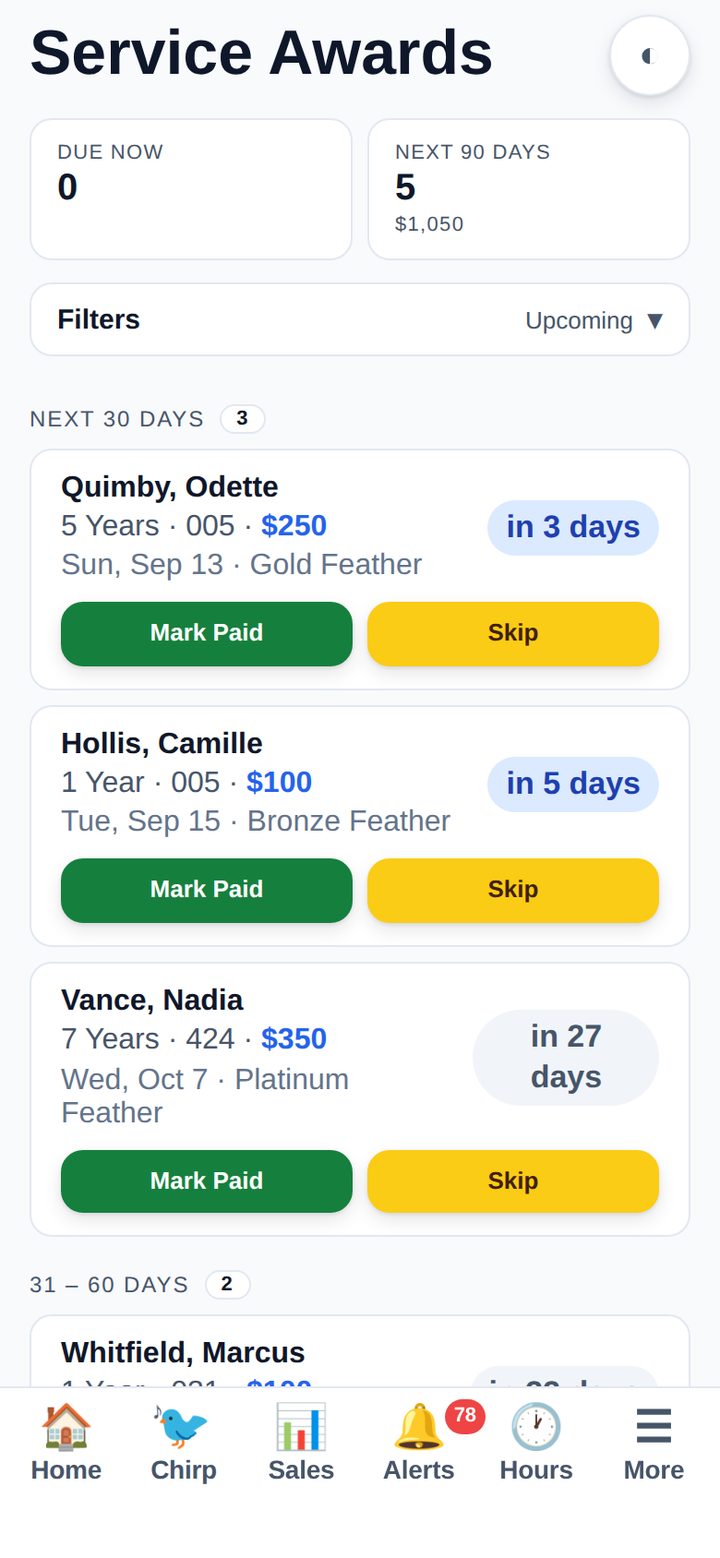
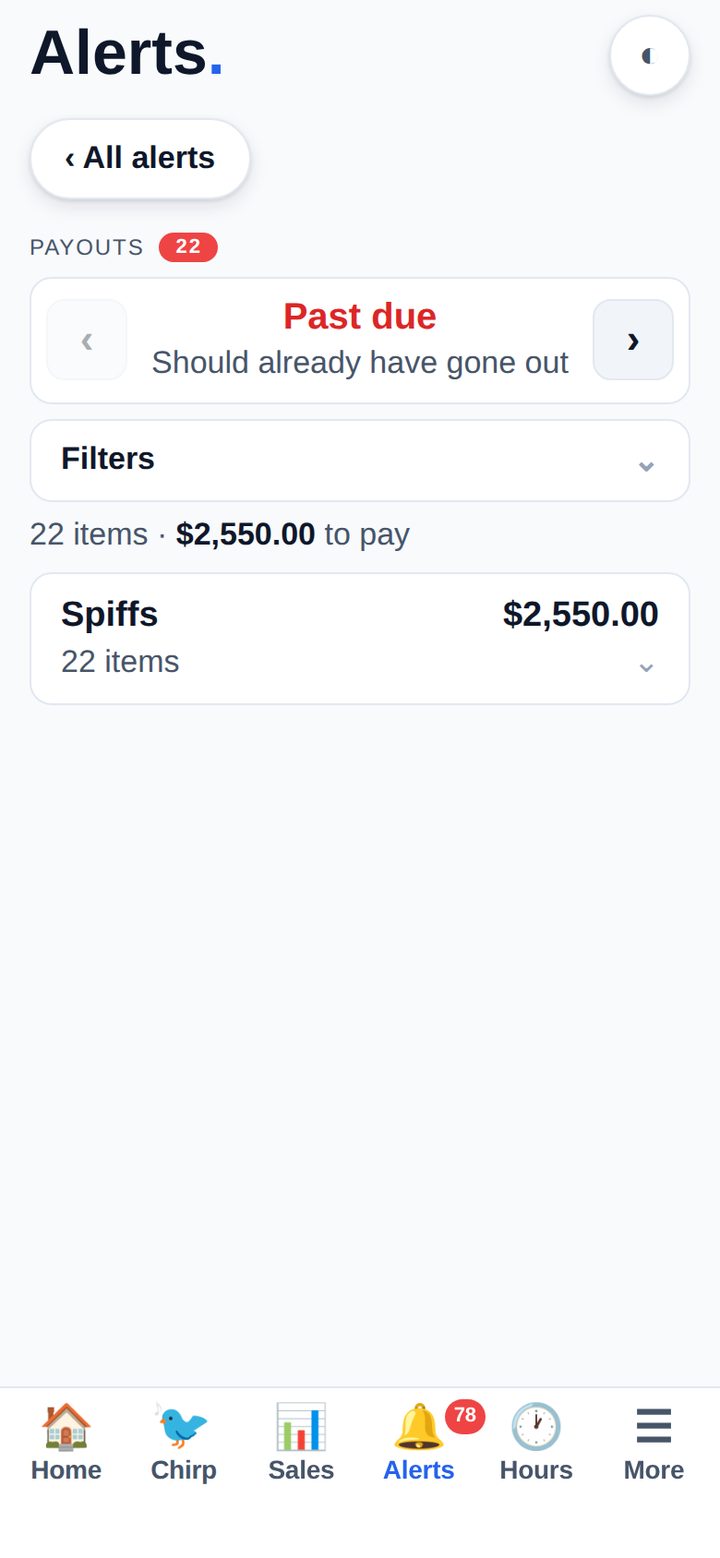
Spiffs and incentives that are past due or landing on the next payday, grouped by type — and service awards for the next 30, 60 and 90 days with the amount and the tier.
Mark one paid or skip it from the phone. A paid row is immutable afterwards, so the record of who got what does not drift.

The things staff walk to the back office for — answered where they are standing, with a customer waiting.
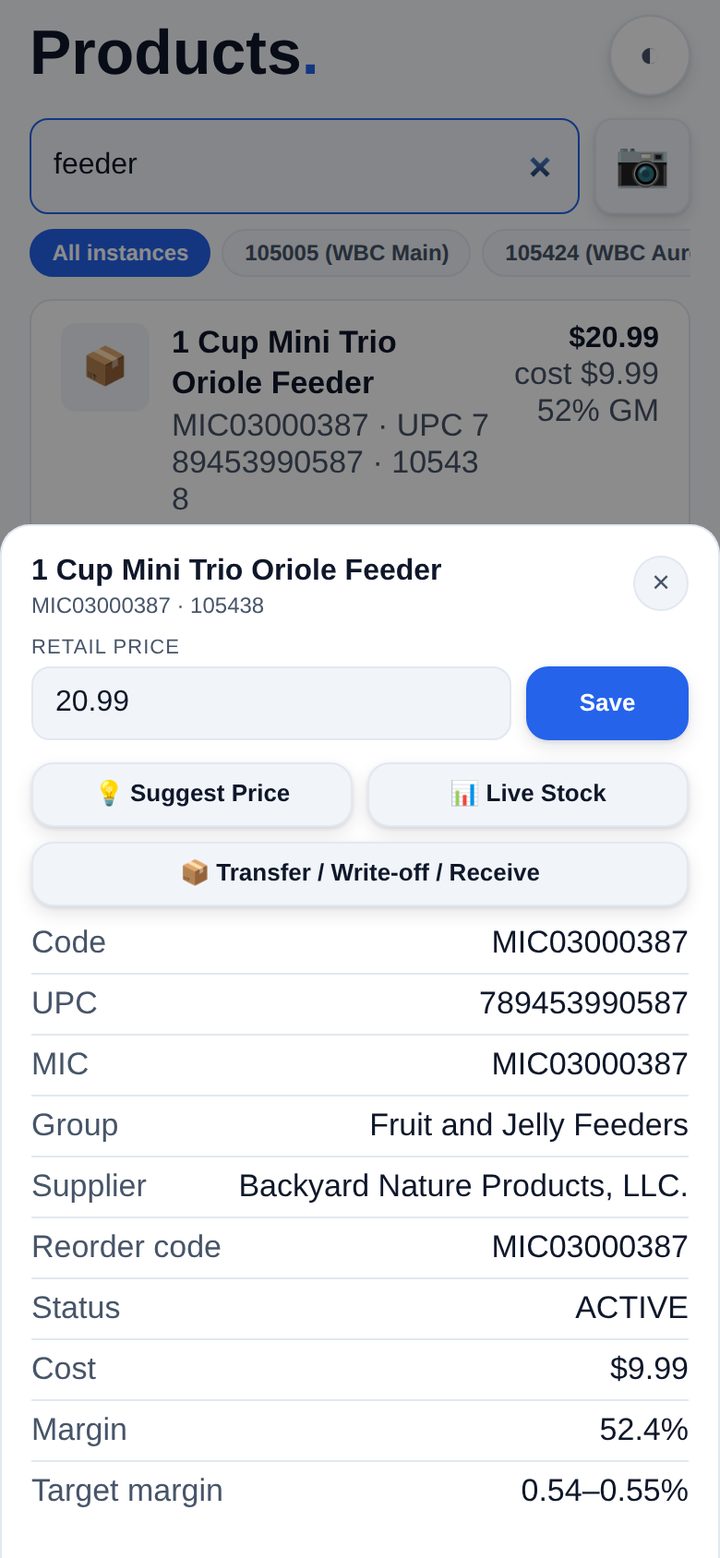
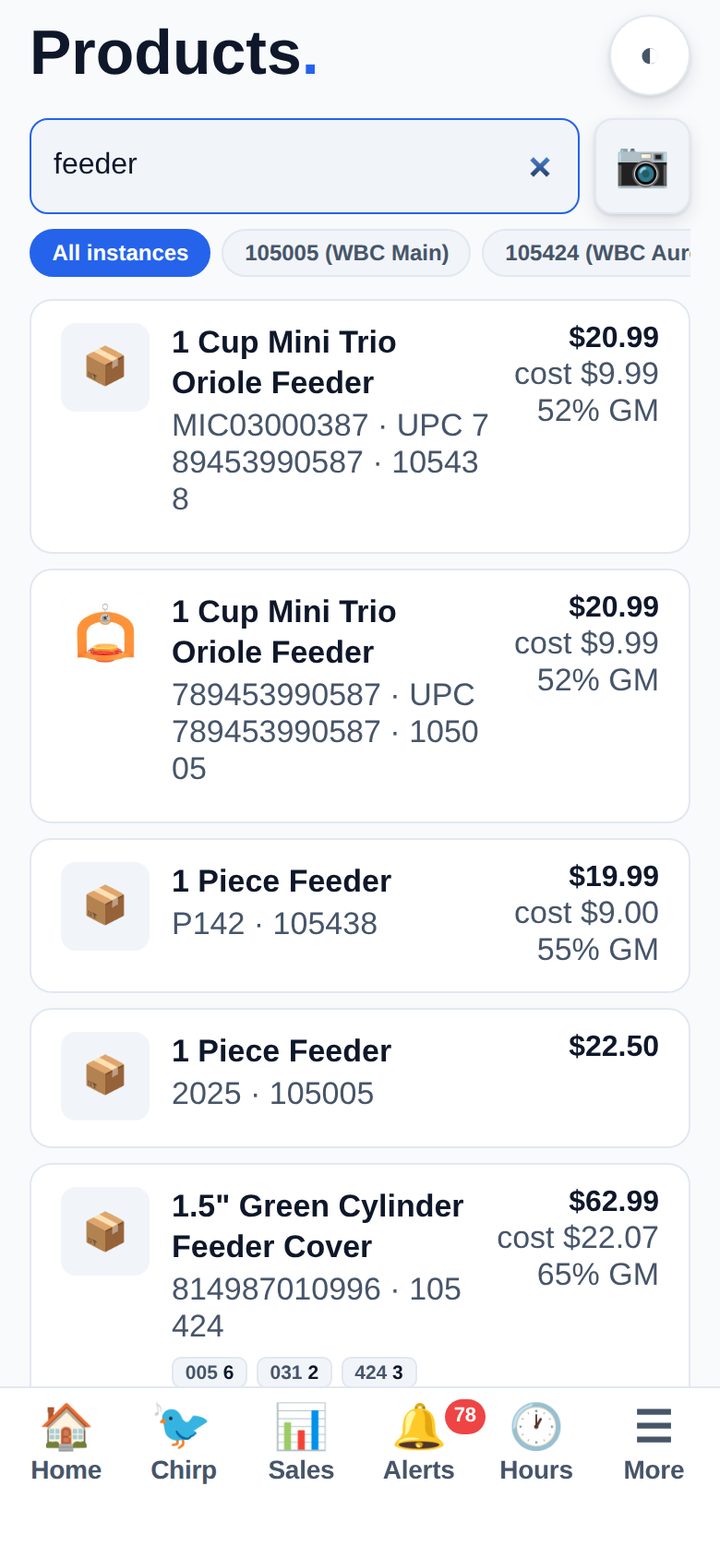
Scan or search and you get the retail price, the cost, the gross margin, the product group, the supplier, the reorder code and live stock in every store — across every ERPLY instance you run.
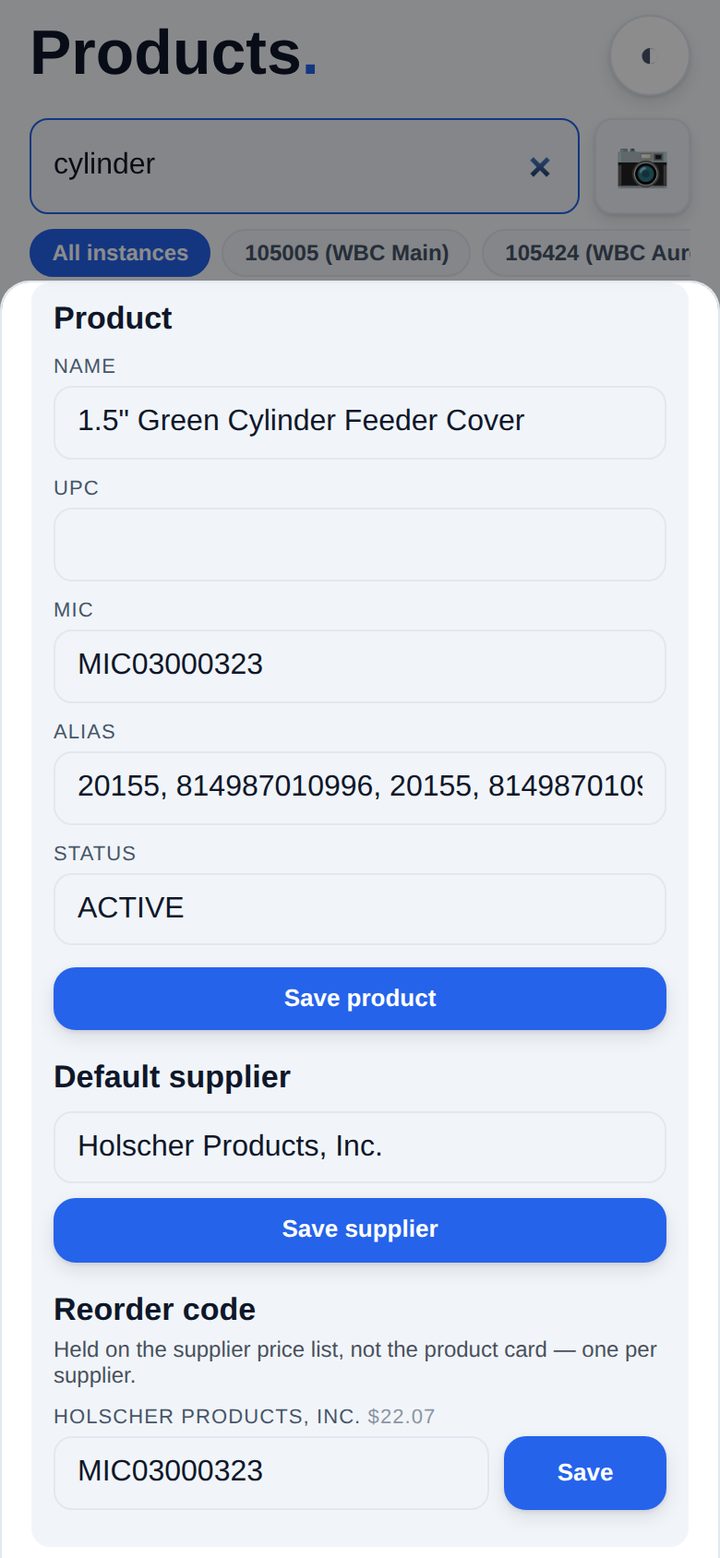
Then fix it from where you are standing. Retail price, name, UPC, MIC, alias, status and the default supplier all edit on the phone and write straight to ERPLY — the same fields, through the same code, as the desktop. Suggest Price shows what the repricer would do before you commit to a number.
The reorder code sits with the supplier price list it belongs to, one per supplier, because that is where ERPLY keeps it — not on the product card, where it would quietly disagree with what you actually order against.
Somebody spots that a product is on the wrong supplier, or the MIC never got filled in, or the name still has last season’s wording. That used to mean writing it on a scrap of paper and finding a computer, which is how it stays wrong for a month.
Now it is an Edit details sheet on the product card: name, UPC, MIC, alias, status and the default supplier, plus the reorder code on each supplier price list. Every field writes to ERPLY through exactly the same code the desktop uses, so the two can never drift.

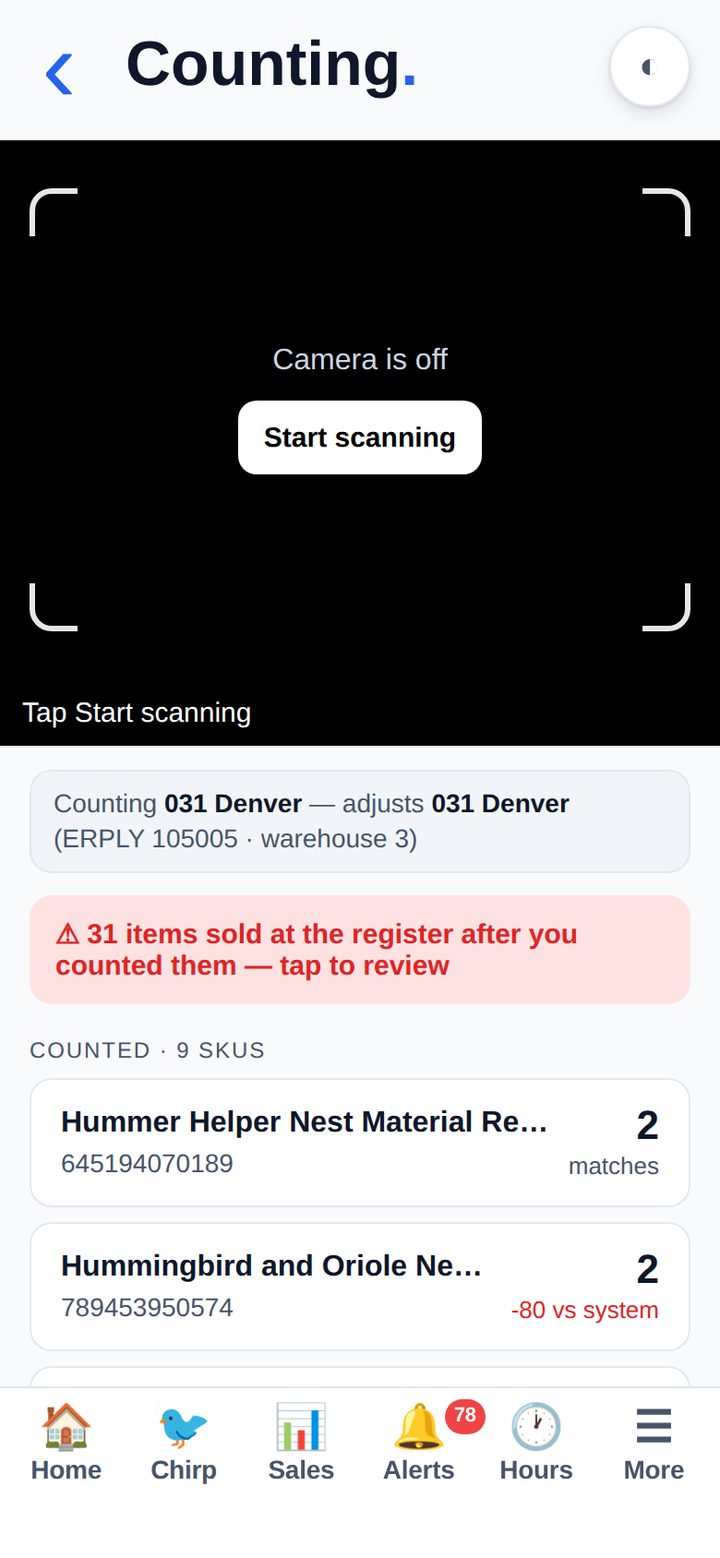
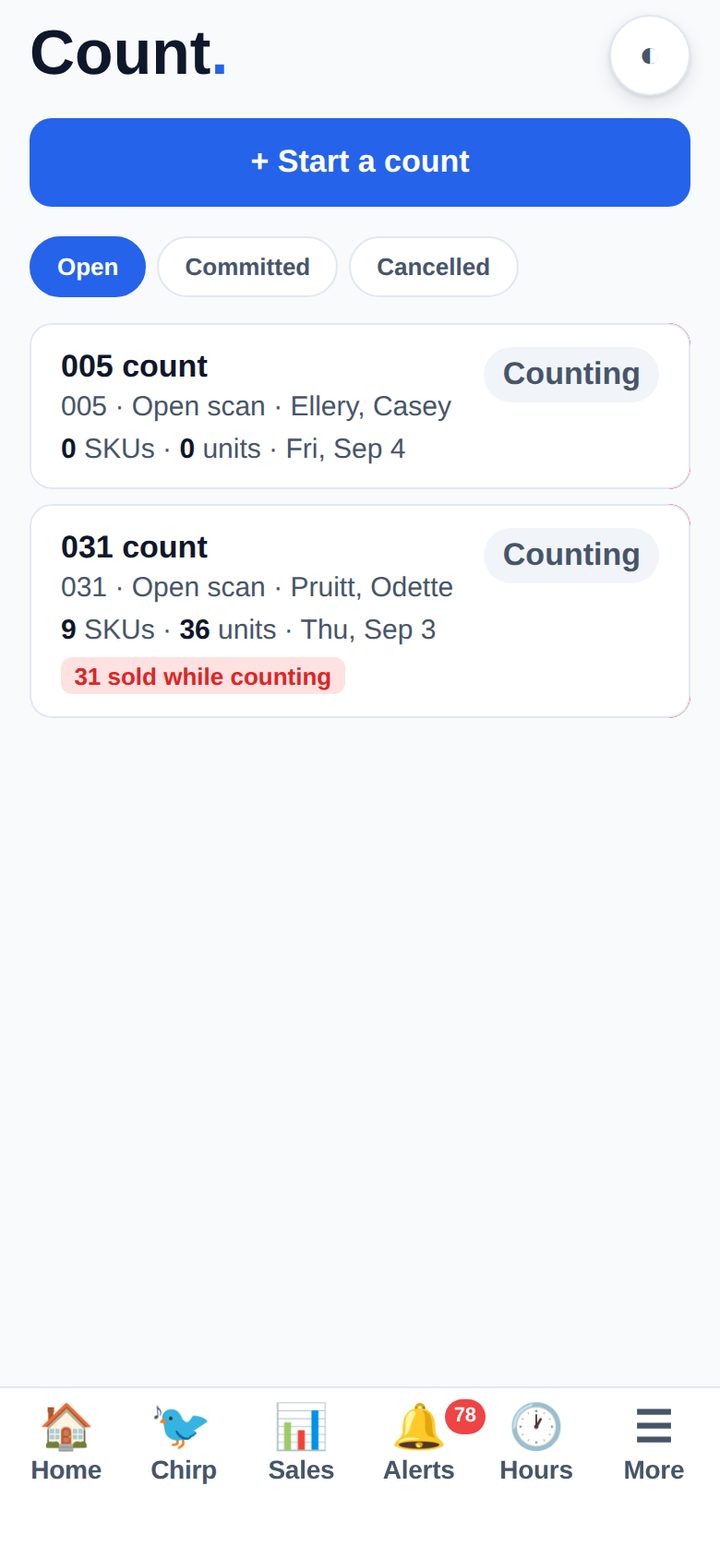
Pick the store, say whether you are counting everything or one category, and start scanning. Each barcode comes back with what the system thinks is on hand, what is on order, and the difference — and you adjust the count right there before anything is committed to ERPLY.
If something you already counted sells at the register mid-count, the app tells you — because that is the difference between a variance and a phantom one.
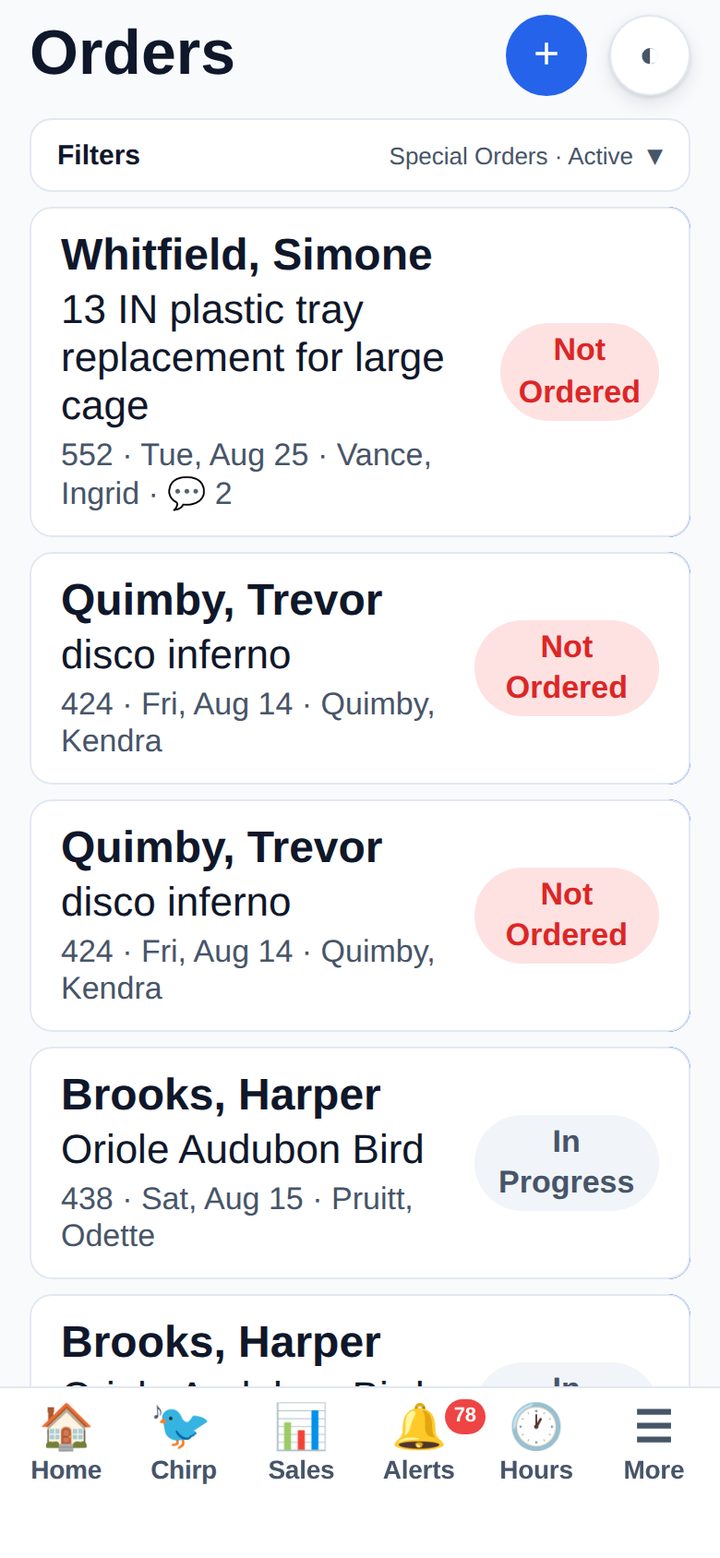
Every special order with its status, the store, the date, the staff member who took it and the comment thread. Orders that have not been placed with the supplier yet get their own alert, so none of them quietly ages.
Raise a new one from the phone with the customer standing in front of you.

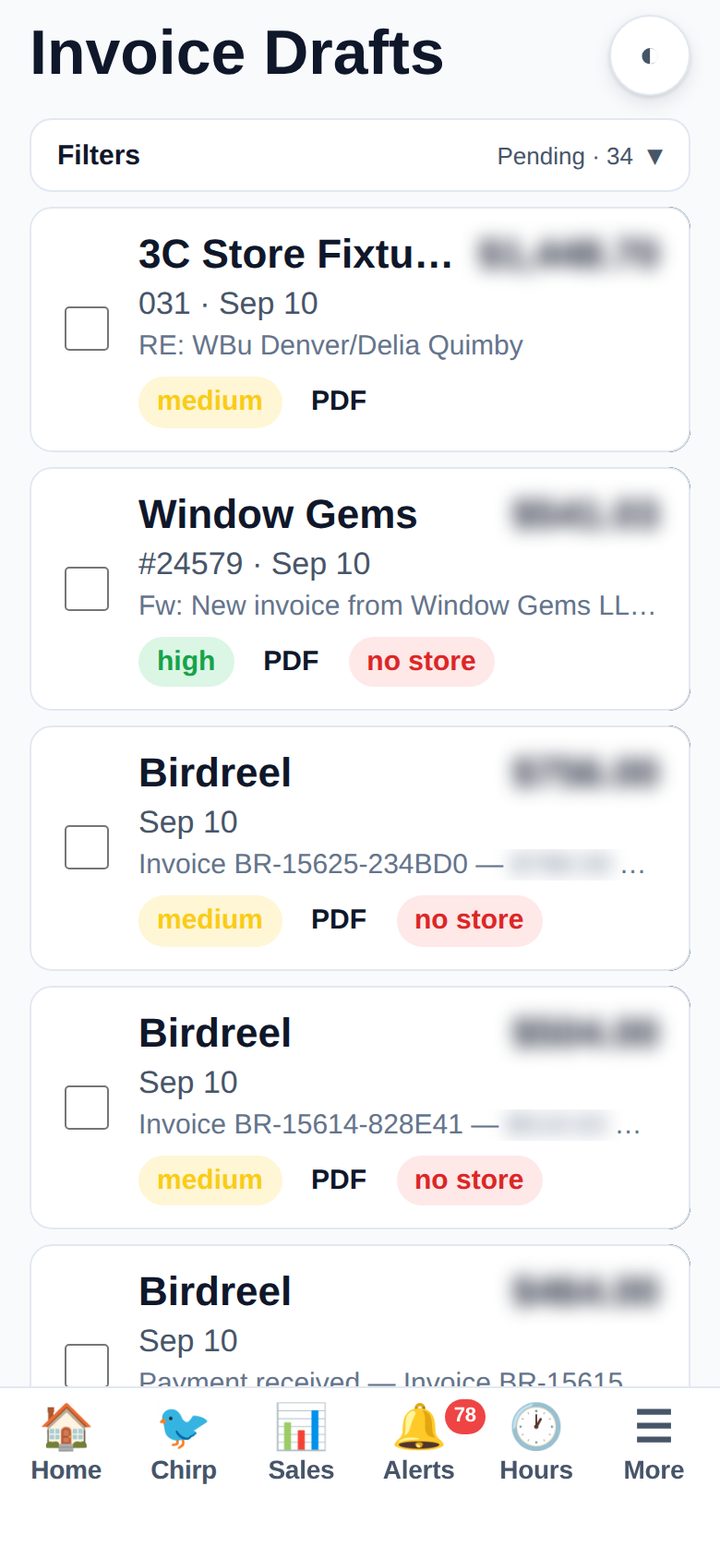
Invoices e-mailed by suppliers are parsed into drafts — vendor, number, date, amount, store and a confidence rating — with the original PDF one tap away. Approve, correct, or send it back, and it posts to QuickBooks.
The amounts below are blurred because they are ours. In your account they are the point of the screen.

An employee does not need an email address to have an account — which is the difference between a tool the managers use and one the whole store uses.
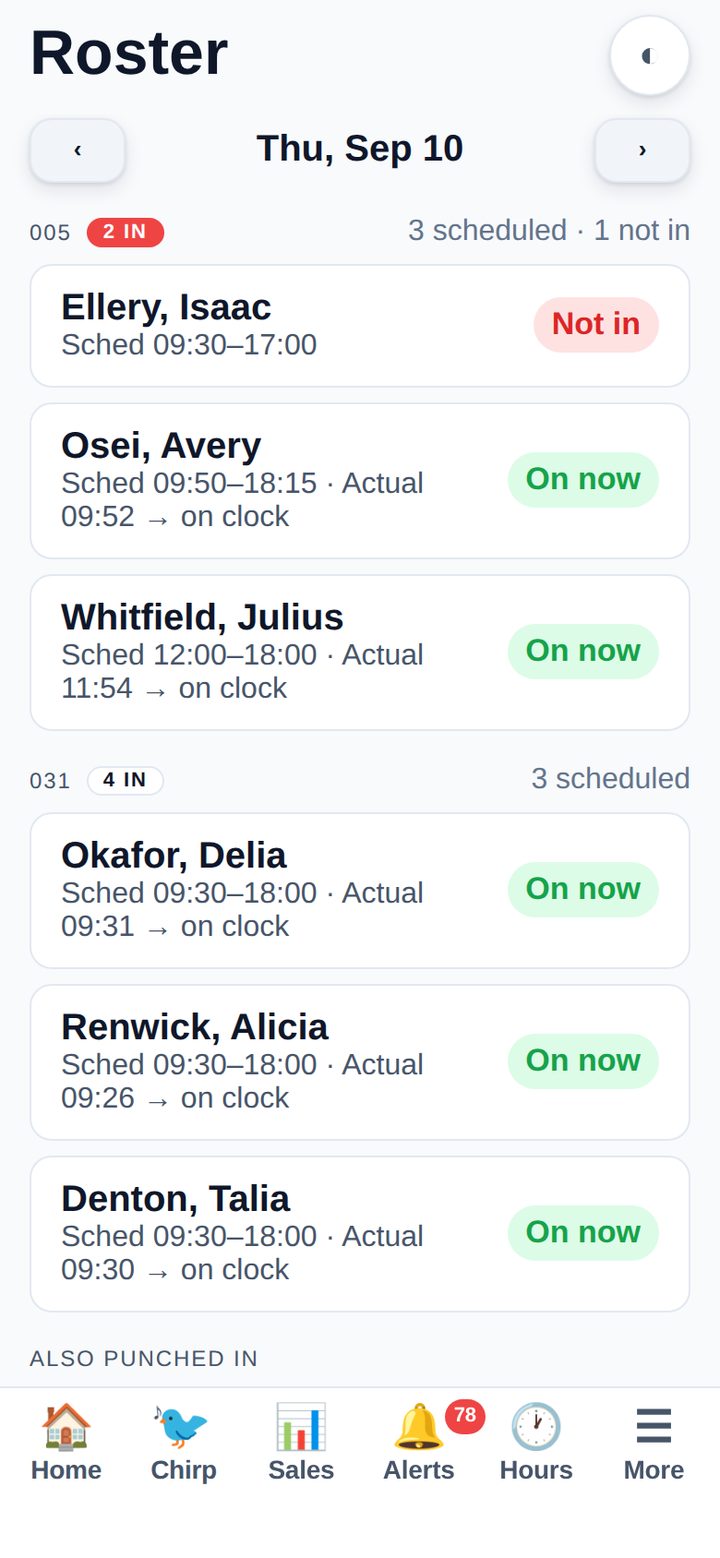
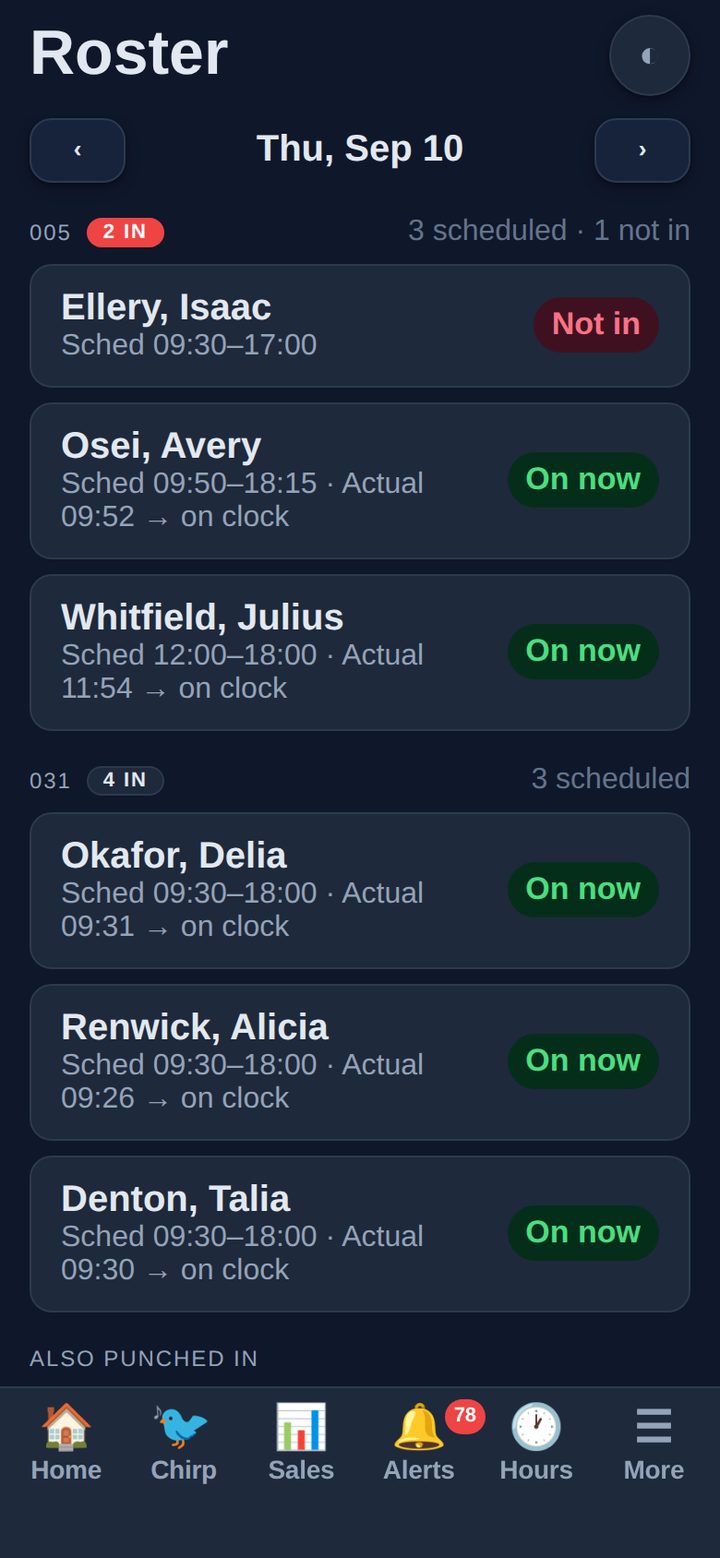
Scheduled against actually clocked in, per store, right now. Who is on, who is late, who never showed, and who punched in without being on the schedule at all.
Salaried staff are marked as such rather than flagged as no-shows, which is the sort of thing that decides whether anyone trusts the screen.

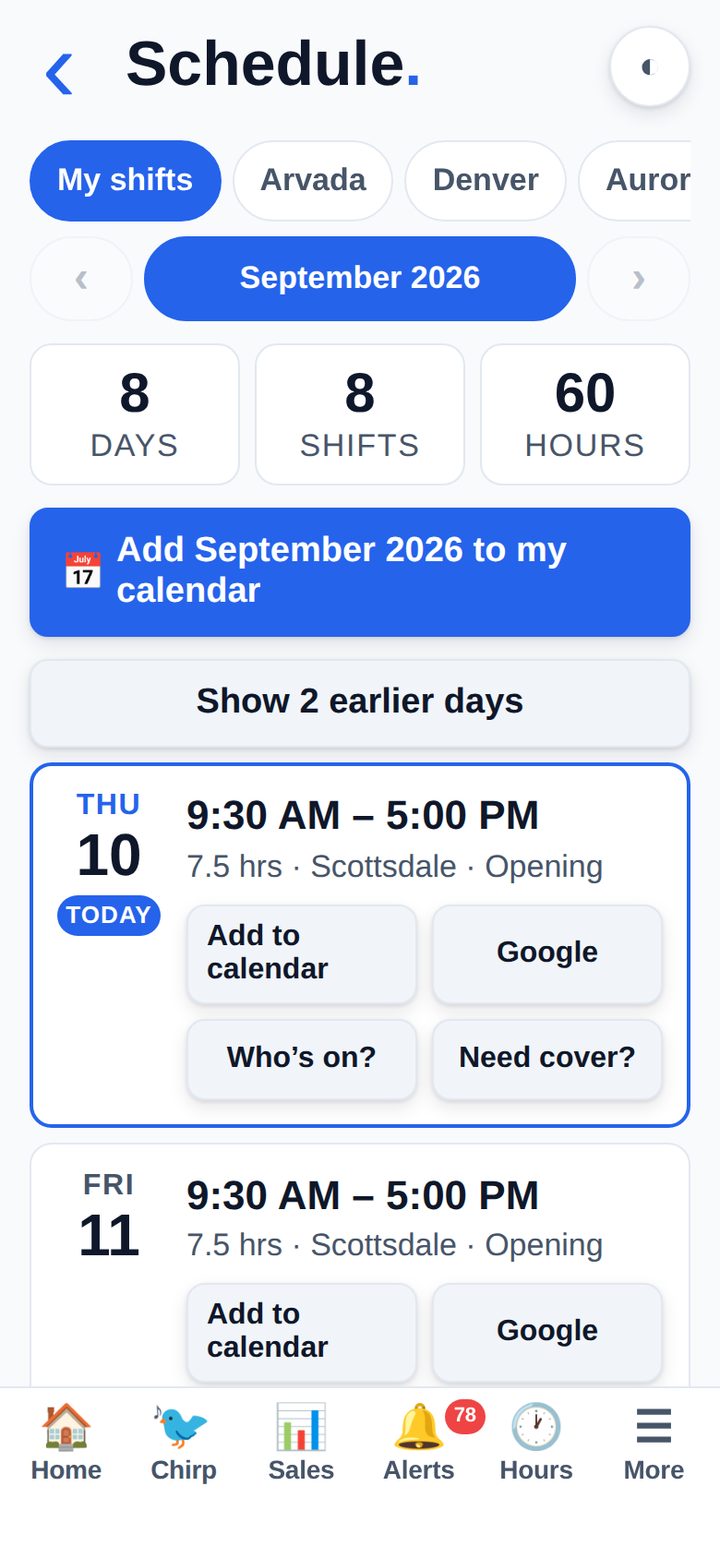
Everyone carries their own shifts; managers can flip to any store they run. One tap adds a shift — or the whole month — to the phone’s calendar, and there is a “who’s on?” and a “need cover?” on every day.
Building the schedule stays on the desktop, where the big canvas belongs. The phone is for carrying it.

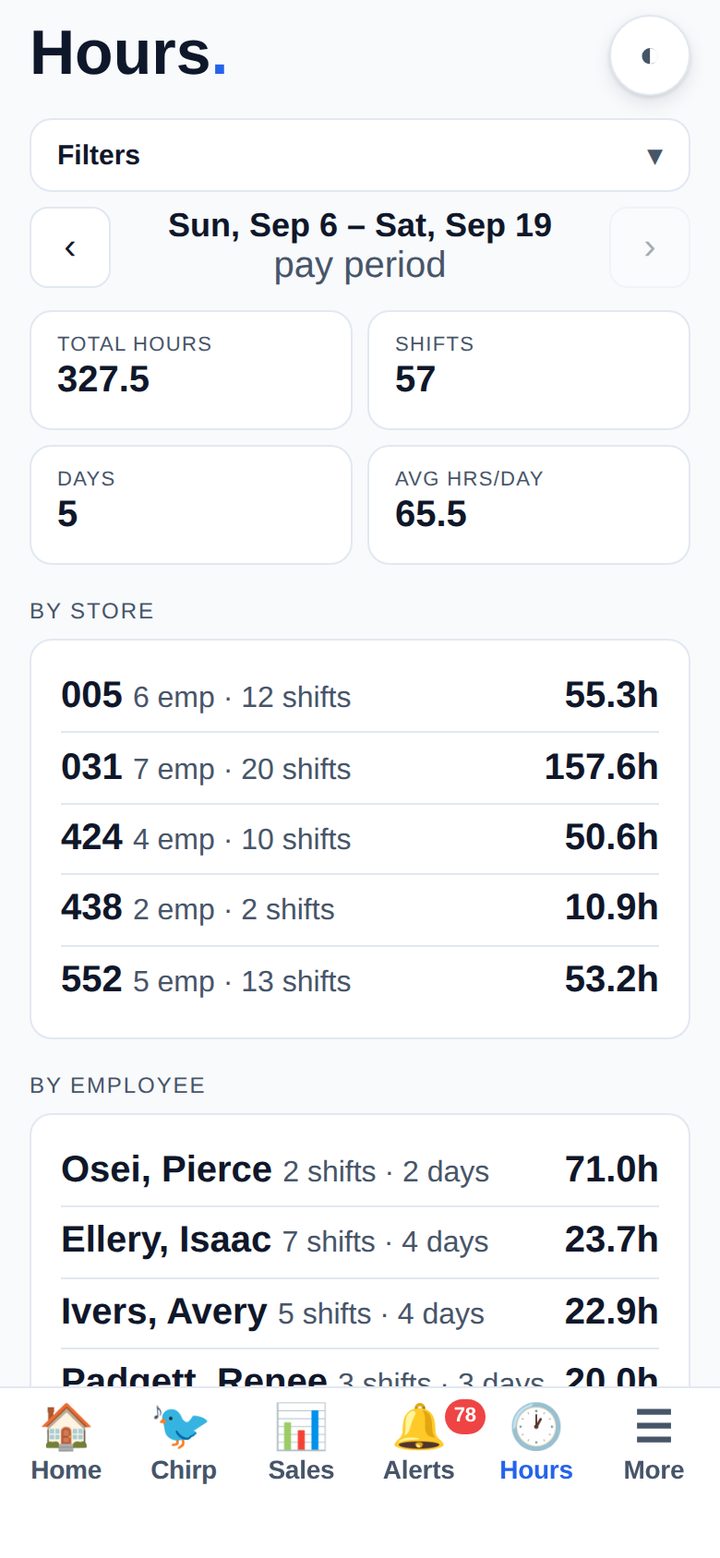
Day, week, pay period, month or year — total hours, shifts, and the split by store and by person. An employee sees only their own; a manager sees the team.
The same punches that drive payroll, not a separate copy of them.

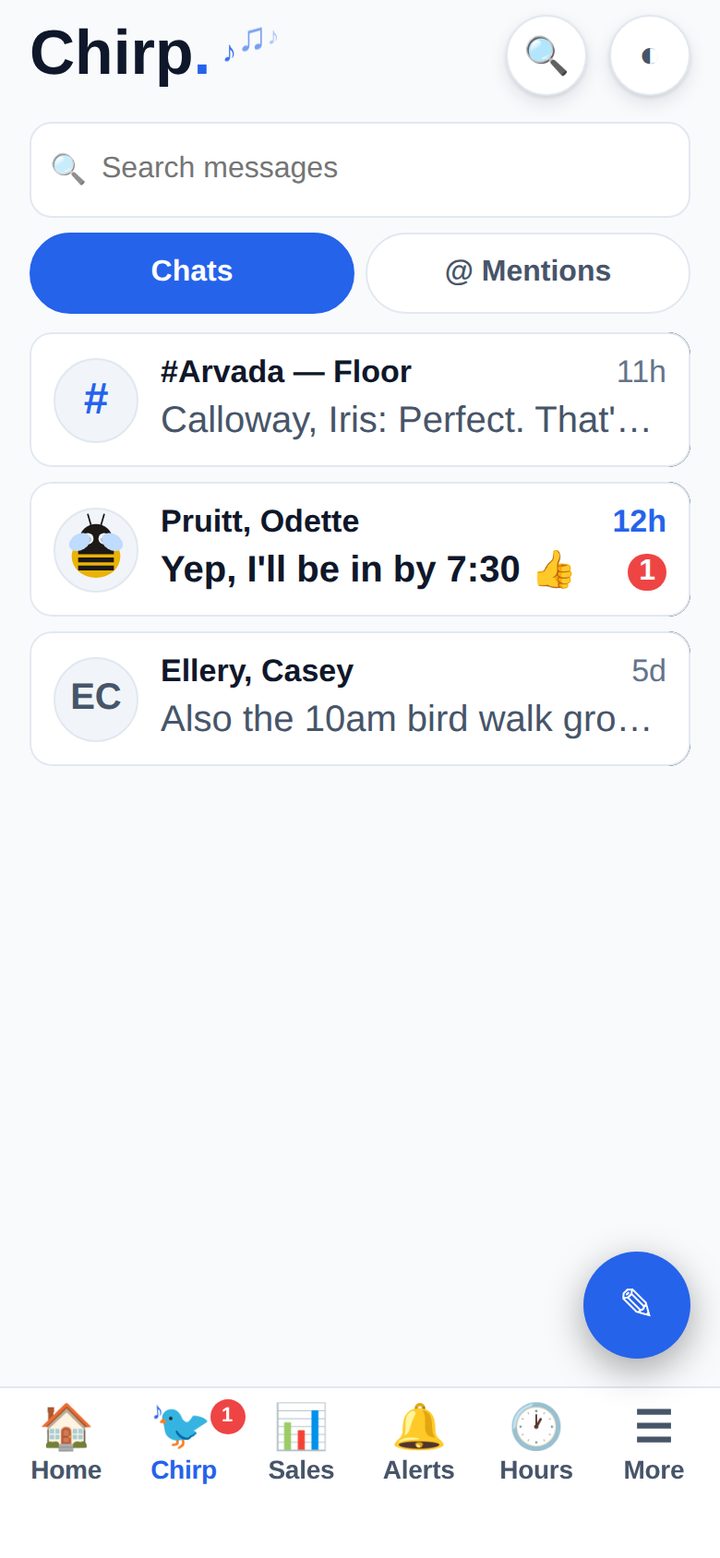
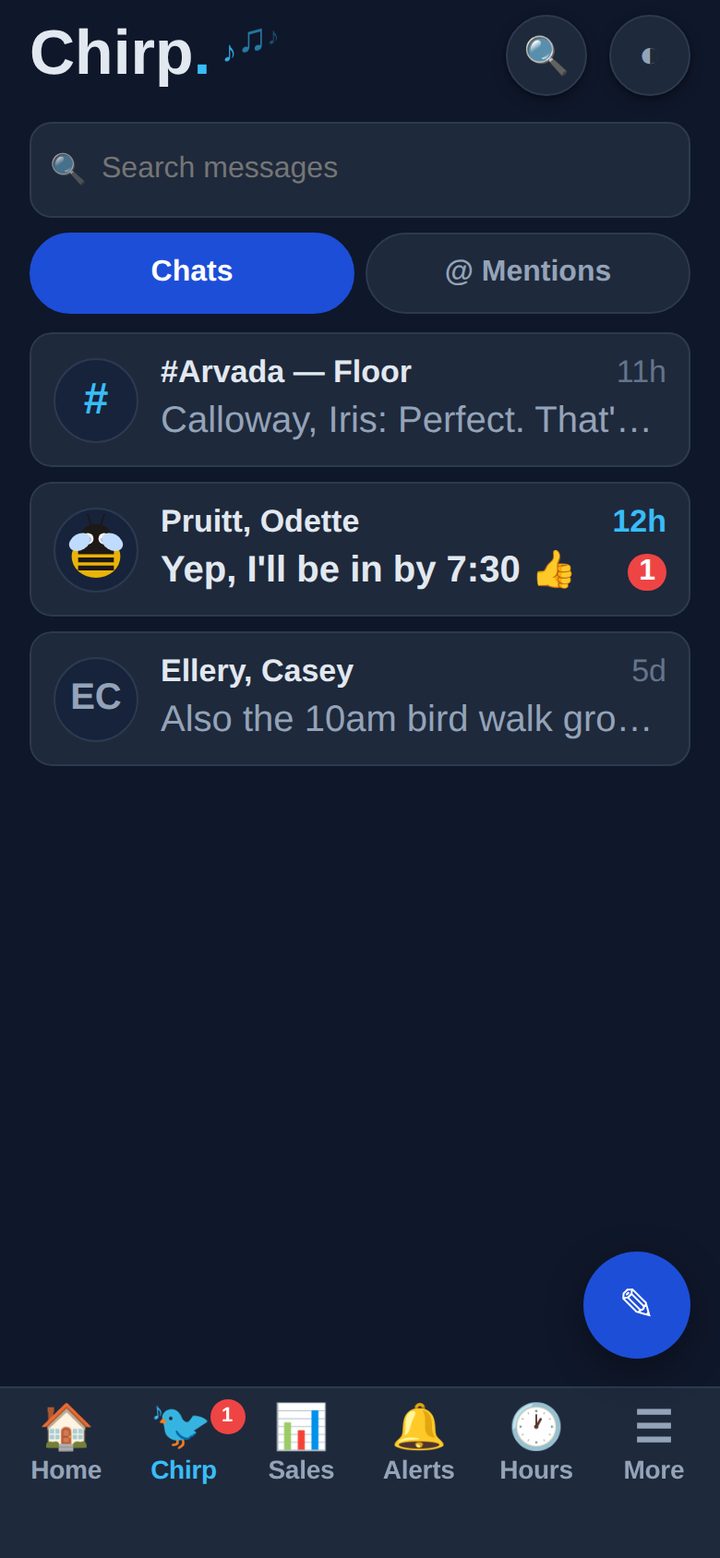
Chirp is team messaging built into Pocket — a bottom tab, not a second app. See the full Chirp page →
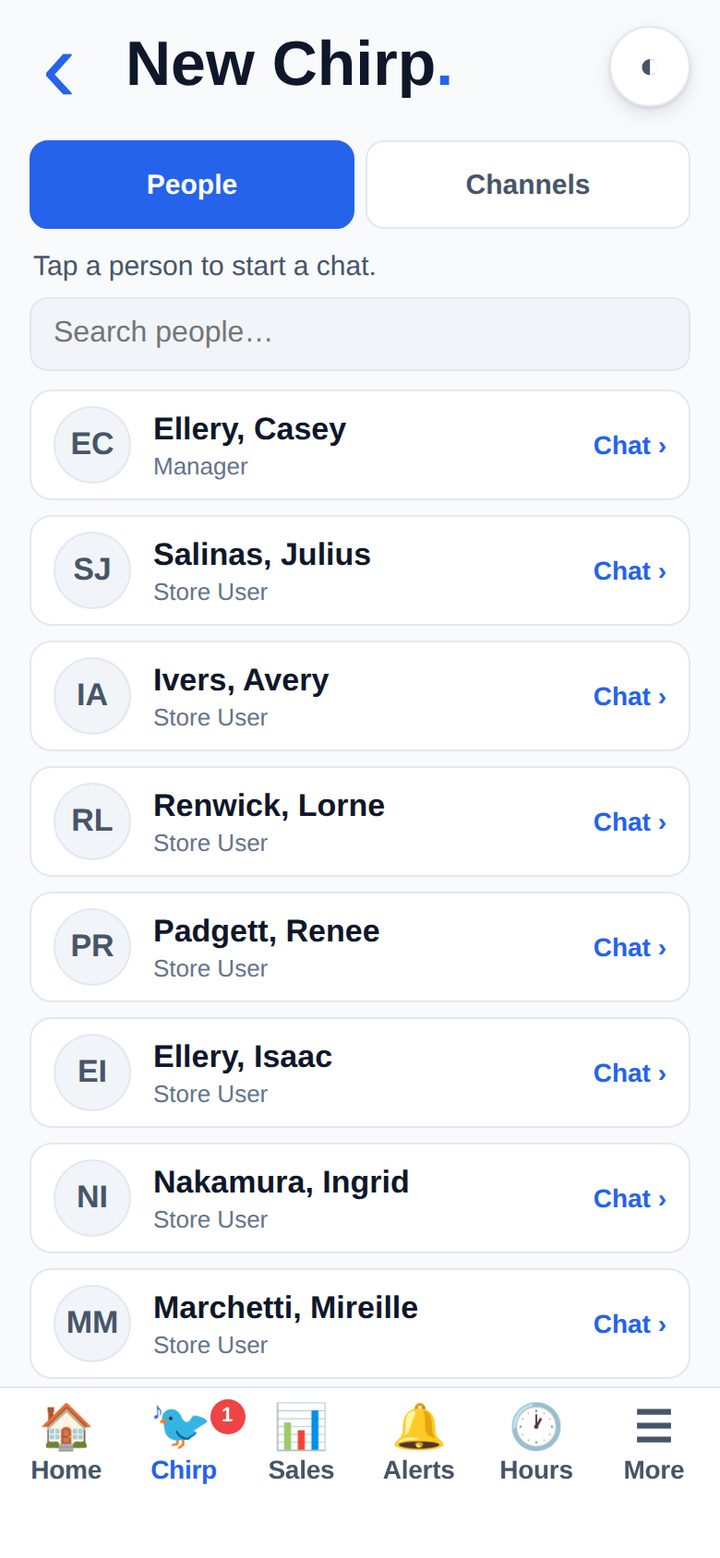
Every store has a channel and its membership comes from your store assignments, so nobody maintains a list. #Managers resolves from role. Direct messages reach anyone in the account without a soul handing over a mobile number.
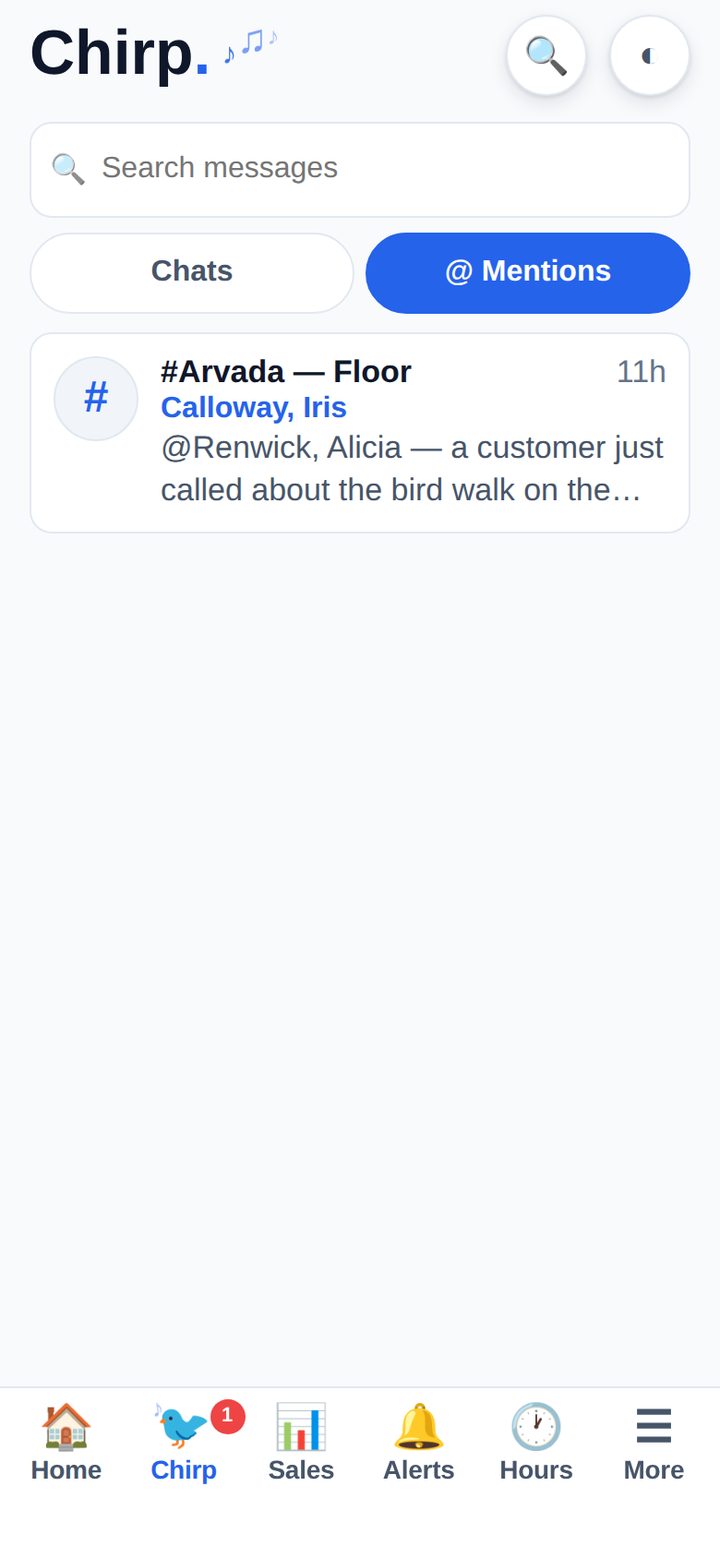
Reactions, replies, read receipts, photos from the camera, GIFs, video, polls and a location. @mentions pierce a muted conversation — but never quiet hours.
And because a store’s messages are an employment record whether or not anyone planned it that way, an owner can open any conversation read-only — and every time they do, it is logged.


Tap any of them to see it full size.


One tap in the header switches the whole app, and it remembers — per person, on every device they sign in on.


Real push on iPhone and Android — not email, not a badge you notice on Thursday.
A PTO or reimbursement request notifies exactly the people who can approve it — and moves up the chain to the DM and the owner as each stage clears.
Everyone on a published schedule is told, by push and optionally by text, and acknowledges with a tap so you know who has seen the week.
Store announcements and direct messages land like any other message on the phone, with an unread badge that clears when they are read.
A task falling due, a data gap in yesterday’s ERPLY pull, a job that failed overnight — while there is still a day left to do something about it.
Everyone chooses what they are notified about and on which device. Nobody is opted into somebody else’s queue.
The app icon and the tab bar carry the real count. Zero means zero — it is the same number the alerts hub is showing.
One codebase, three front doors. Whichever they use, it is the same app against the same live data.
A native wrapper on the App Store, with real APNs push and the icon badge. Sign in once and it stays signed in.
The same, on Google Play, with FCM push.
Add it to the home screen from the browser and it installs as a full-screen app. Useful for a shared store phone you do not want tied to anyone’s store account.
A service worker caches the last payload of each screen, so the app opens and shows you yesterday’s answer in a stockroom with no bars — and says plainly that it is not live yet.
New features appear with the platform. There is no app-store update to chase across a team of twenty.
Store scope and role permissions are the platform’s, not a second set to maintain. A store user sees their store, and only their store.
Every screenshot on this page was taken with Demo Mode on. It is a switch in Profile → Privacy: while it is on, every person’s name is privatised on the way out of the server — customers, staff, whoever — so what reaches the screen was never the real thing.
It is a display setting, not a data change. Nothing is written masked, your reports are unaffected, and it is per person: yours can be on while everyone else’s is off. A badge sits beside the title the whole time it is running, so a privatised name is never mistaken for corrupted data.
It reaches every name the system holds as a name. It cannot reach a name somebody typed into the middle of a sentence — a note that reads “call the customer back” with a name in it stays as written, because no mask can find a person in prose it has never been introduced to.
The figures in these screenshots are real and are ours. Only the names have been stood in for — and on the invoice screen, the amounts are blurred.

Three tabs and a More menu. What a given person sees is decided by their role and their stores — a store user does not get an owner’s list.
App Store, Google Play, or add it to the home screen from the browser. Same app either way.
The phone stays signed in. Employees without an email address set up with a one-time code, so nobody is blocked on IT.
Each person picks what they want to hear about. Approvals and alerts arrive the moment they happen.
New features ship with the platform. There is no app-store update to walk twenty people through.
This feature is included with every Axis subscription at $299/store/month. Multi-store? Save up to 50% — see multi-store pricing. Unlimited users, concierge onboarding.
See it in action →See the Axis mobile app live — approvals, alerts, barcode lookup, and every dashboard, on your phone.
📅 Book a Demo →